DeCA for transport companies with Odoo: you supply your data by link and issue it when you subcontract.
As the actual carrier, the DeCA binds you, but you will usually supply the special authorisation, date and plates through the link your client's Odoo sends you. When you subcontract, you will normally issue it from your own Odoo.
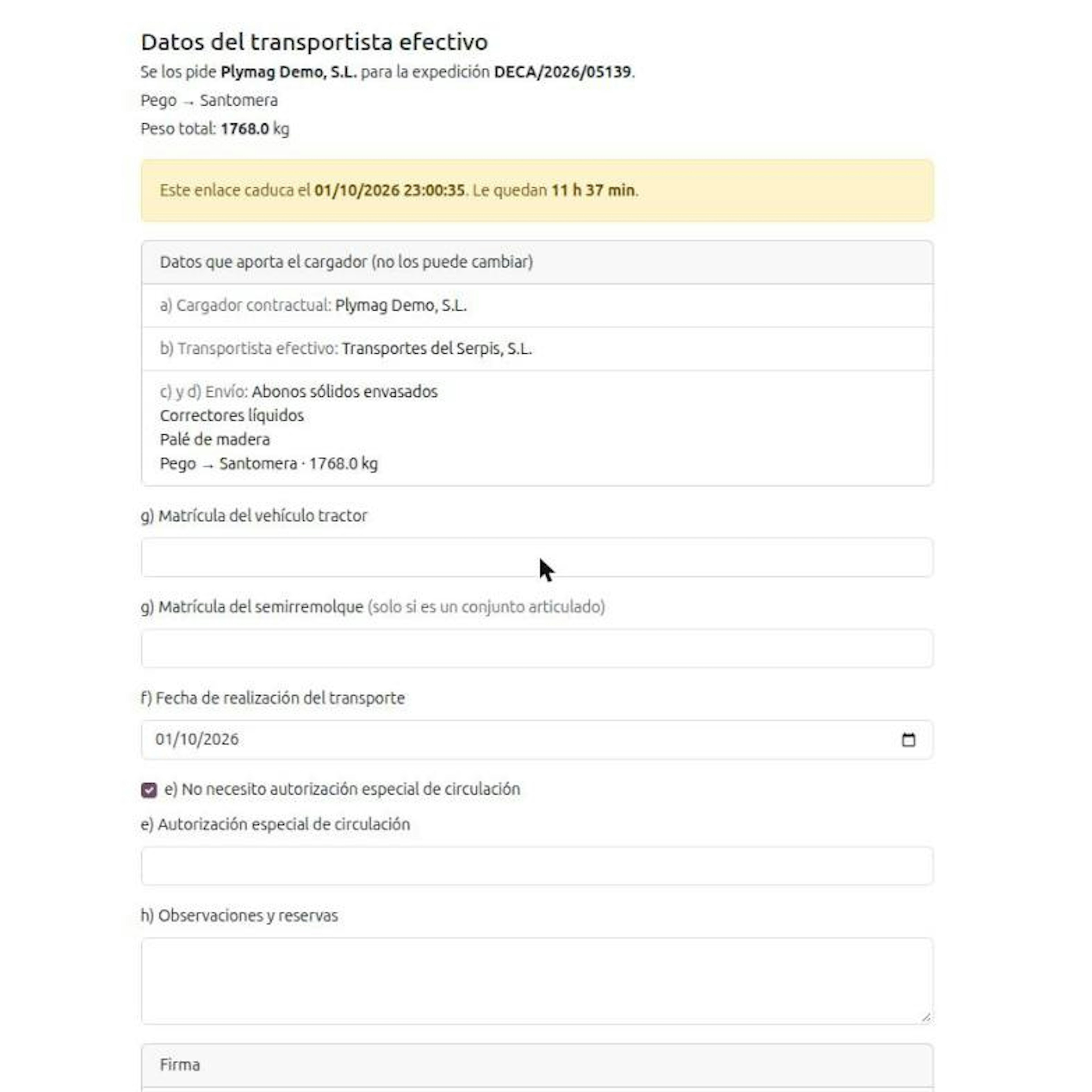
Since 5 October 2026, every domestic road freight job in Spain carries its Electronic Administrative Control Document (Documento electrónico de Control Administrativo, DeCA). As the transportista efectivo (actual carrier) you usually do not issue the document: you supply three data items from your phone, using the link and PIN your client's Odoo sends you. When you subcontract, you will normally issue the DeCA yourself from your own Odoo, next to your delivery orders, your fleet and your invoicing.
What the DeCA asks of you as the actual carrier.
Order FOM/2861/2012 binds you just as it binds the cargador contractual (contractual shipper), the company that hires you, and it does not say which of the two generates the document. The usual practice, and the flow we set up in Odoo, is for the shipper to issue it: it already holds four of the eight article 6 items and, if it proves it issued the document, article 7.1 covers it. You answer for what depends on the truck and the day.
e) Special driving authorisation, where applicable · Not your part: a) Shipper's name, tax ID and address
f) Date the transport is carried out · Not your part: b) Your name and tax ID (the shipper enters them)
g) Plates of the tractor and the semi-trailer · Not your part: c) Origin and destination of the shipment
h) Remarks and reservations, if you wish · Not your part: d) Nature and weight of the goods
Carrying the copy on board before departure · Not your part: Issuing the document, in the usual flow
Unsure of your role on a job? Ask who pays the transport invoice, and see the full tree in who must issue the DeCA. For the shipper's side, see how the DeCA in Odoo works from the delivery order.
What changes when your client issues the DeCA in Odoo.
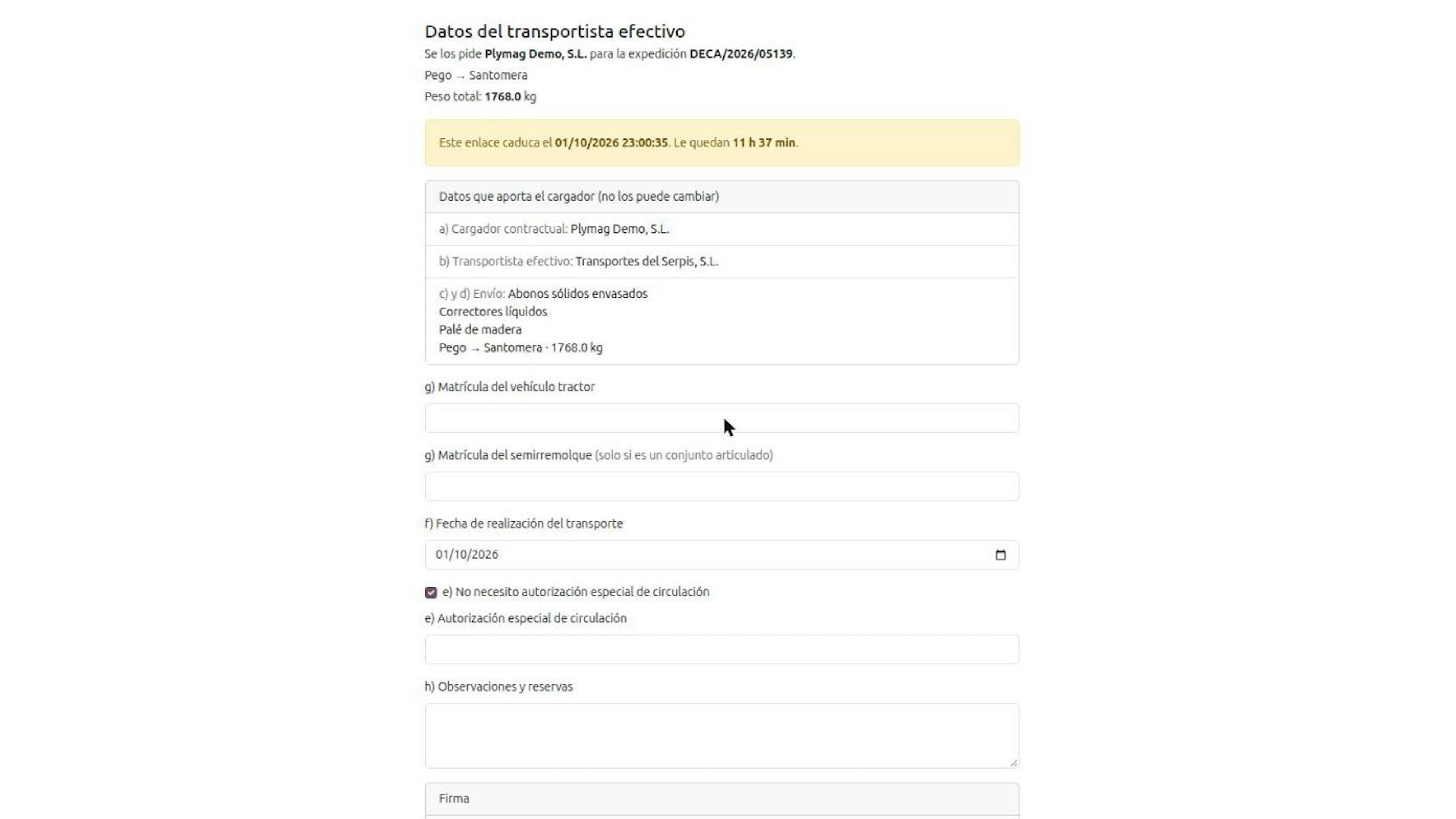
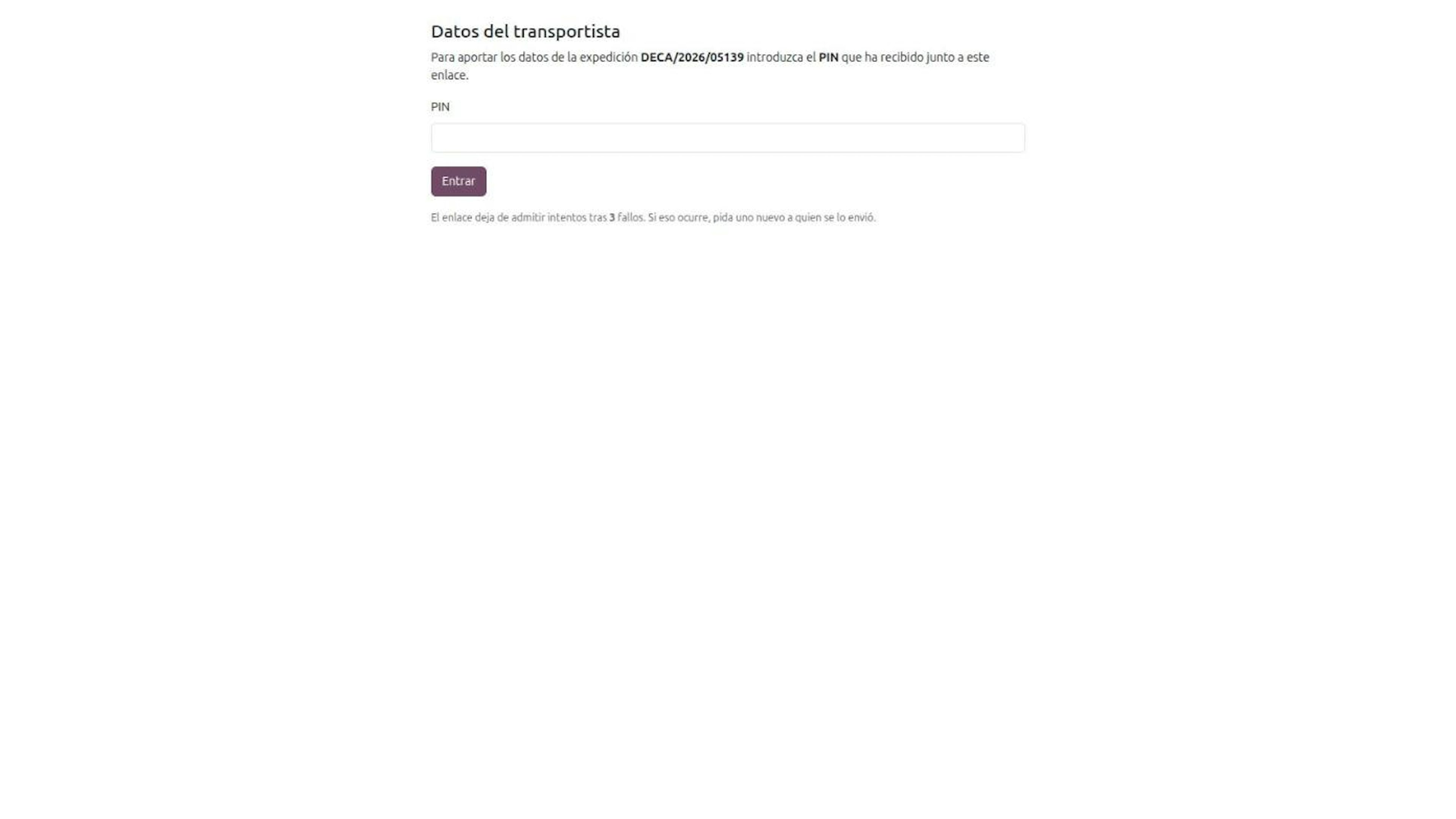
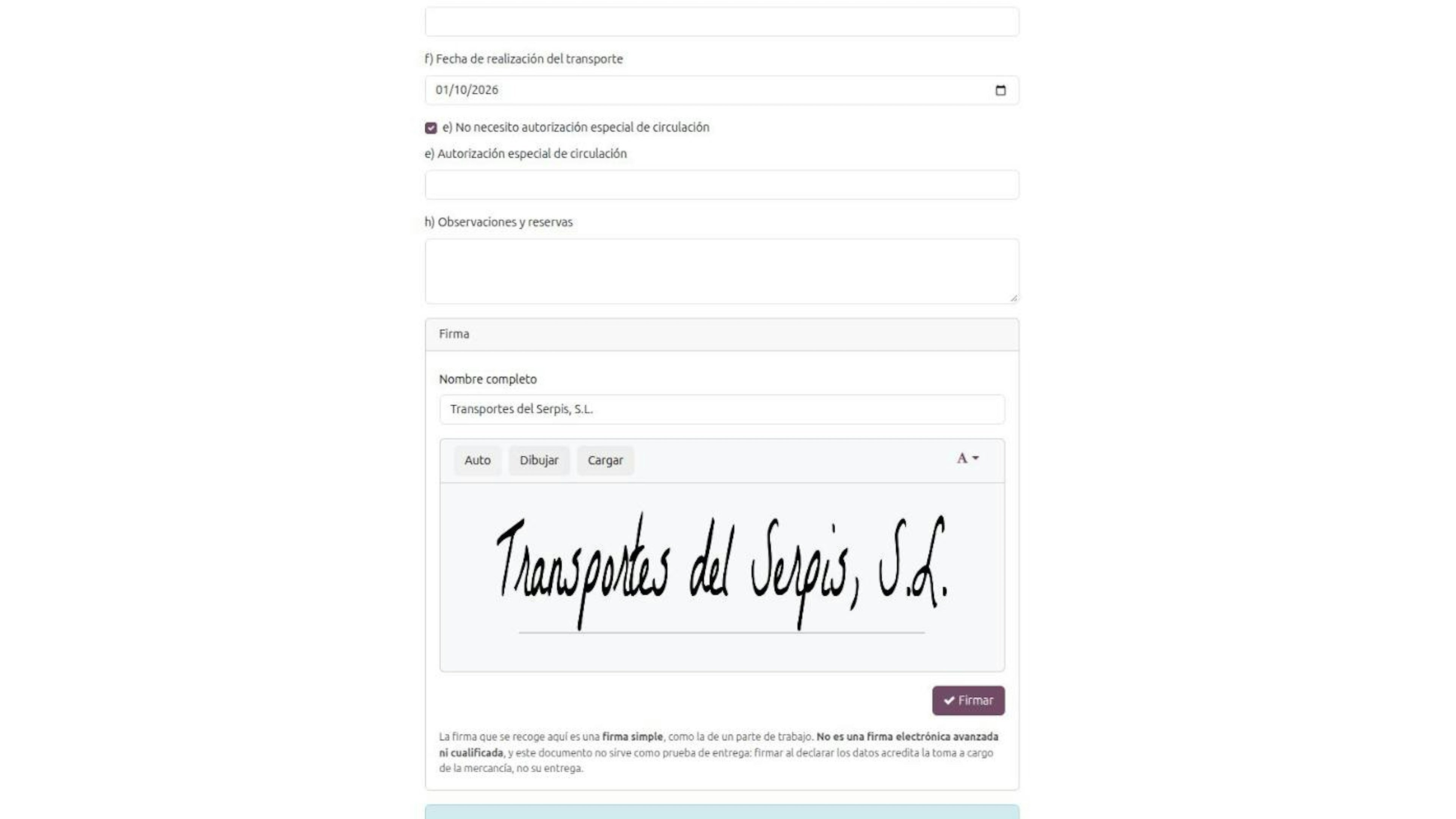
Your client validates the delivery order and their Odoo copies the data it holds. If the plate is missing, the DeCA stays waiting for the carrier and they ask you:
You get a link by email or SMS that expires. The form shows when it stops working.
You enter a six-digit PIN. It travels in a separate message from the link. You have three attempts; after the third failure, you ask for a new link.
You see the shipper's data locked and fill in plates, date, special authorisation and remarks.
You sign from your phone. It is a simple signature: it shows you declared the data when taking the load, not that the goods were delivered.
Each new link revokes the previous one. You need no user in your client's Odoo, but your client does need your current email and mobile number: they are your registered channel. Agree too on who gets the copy to the driver.
If you also subcontract, you are the DeCA shipper for that service.

When you hand a job to another company that runs it with its own truck, you are the contractual shipper towards them and, in the usual flow, you issue from your Odoo:
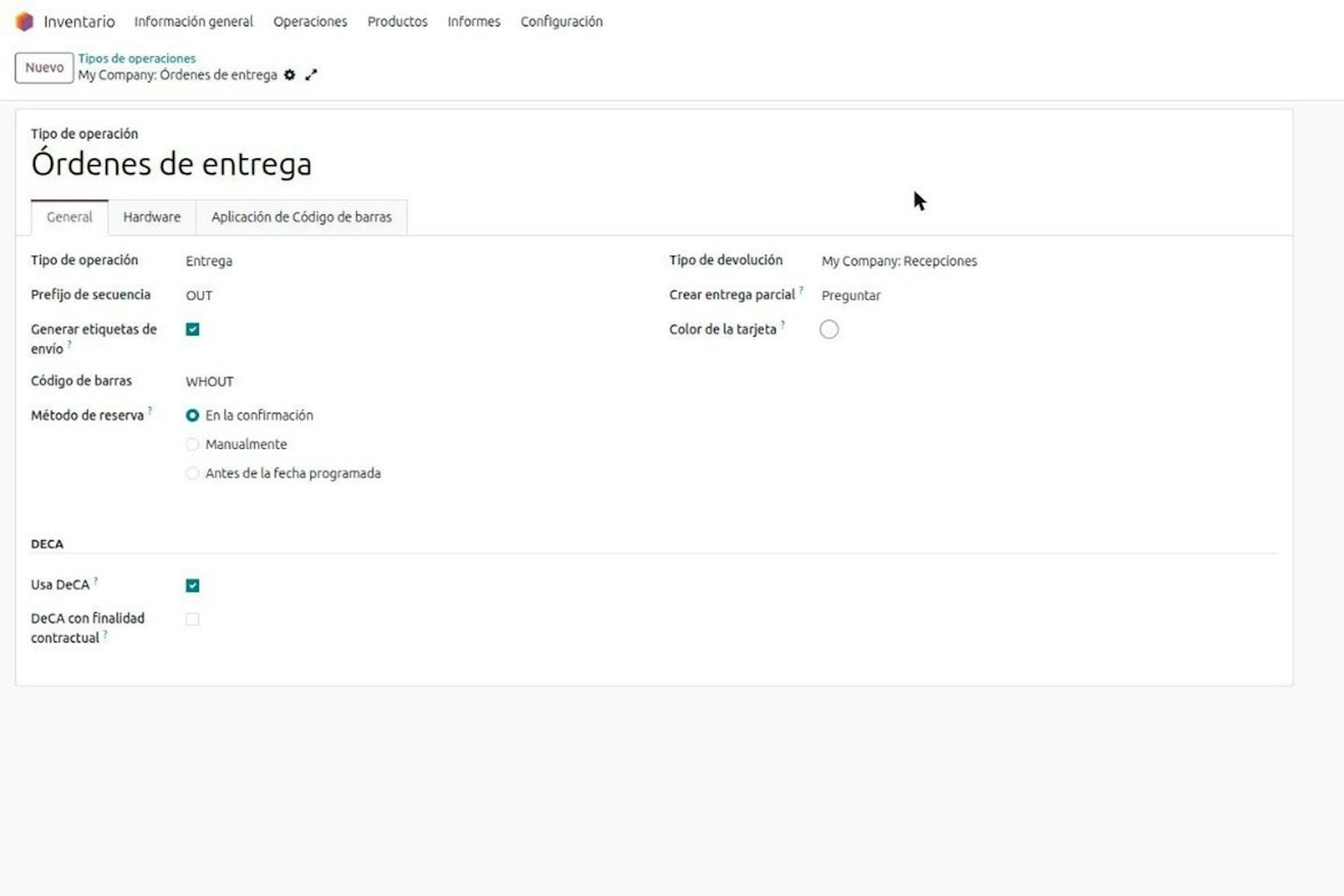
The Role in the DeCA field is set per delivery order (contractual shipper, exempt or actual carrier), so own and subcontracted jobs never get mixed up.
The actual carrier comes from the shipping method, and the nature of the goods from the product category.
When the role is shipper, validating the delivery order requires the DeCA to be issued.
Delivery orders on the same truck can share one DeCA when shipper and carrier match.
Breakdown on the road: the second DeCA QR.
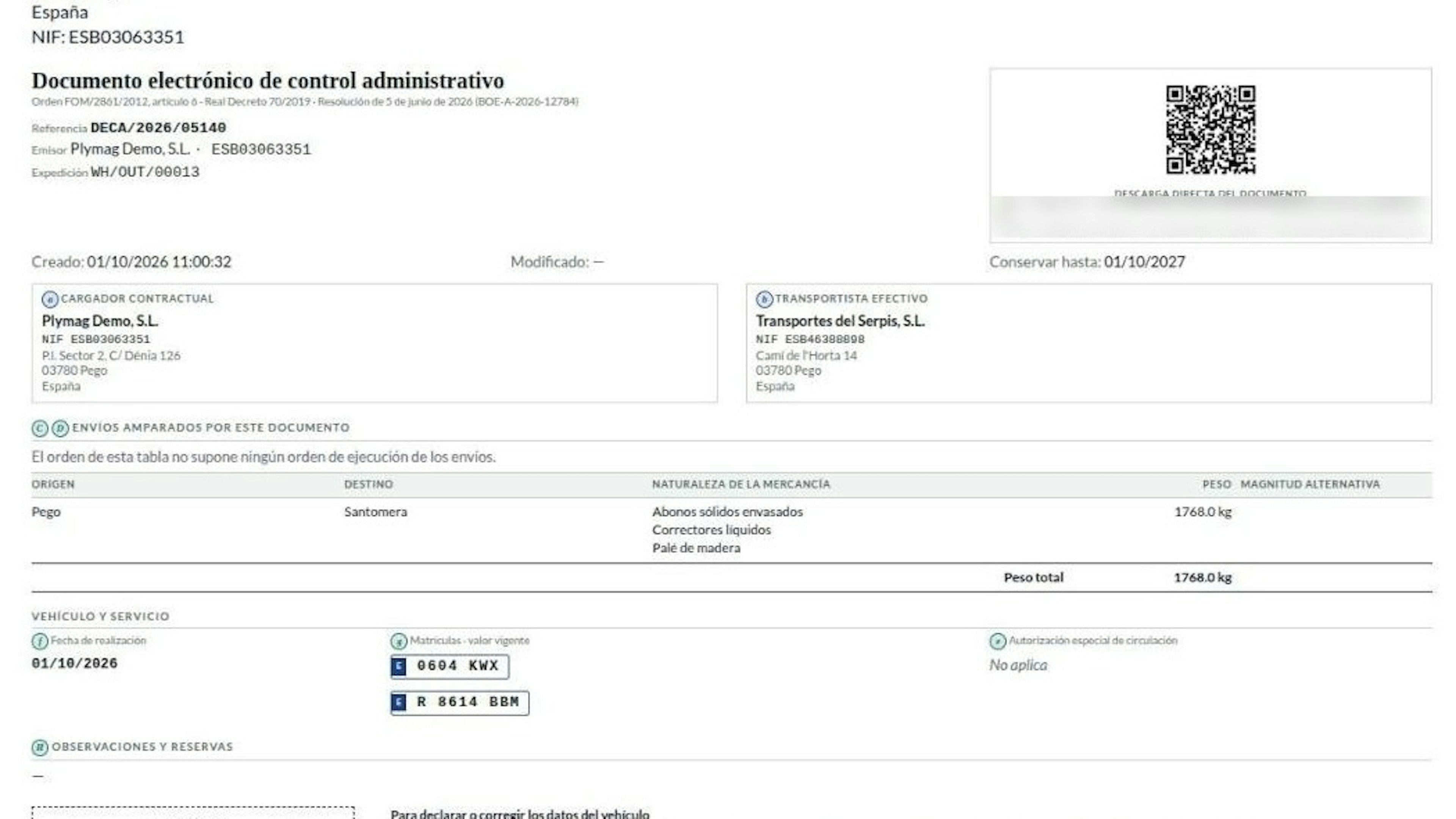
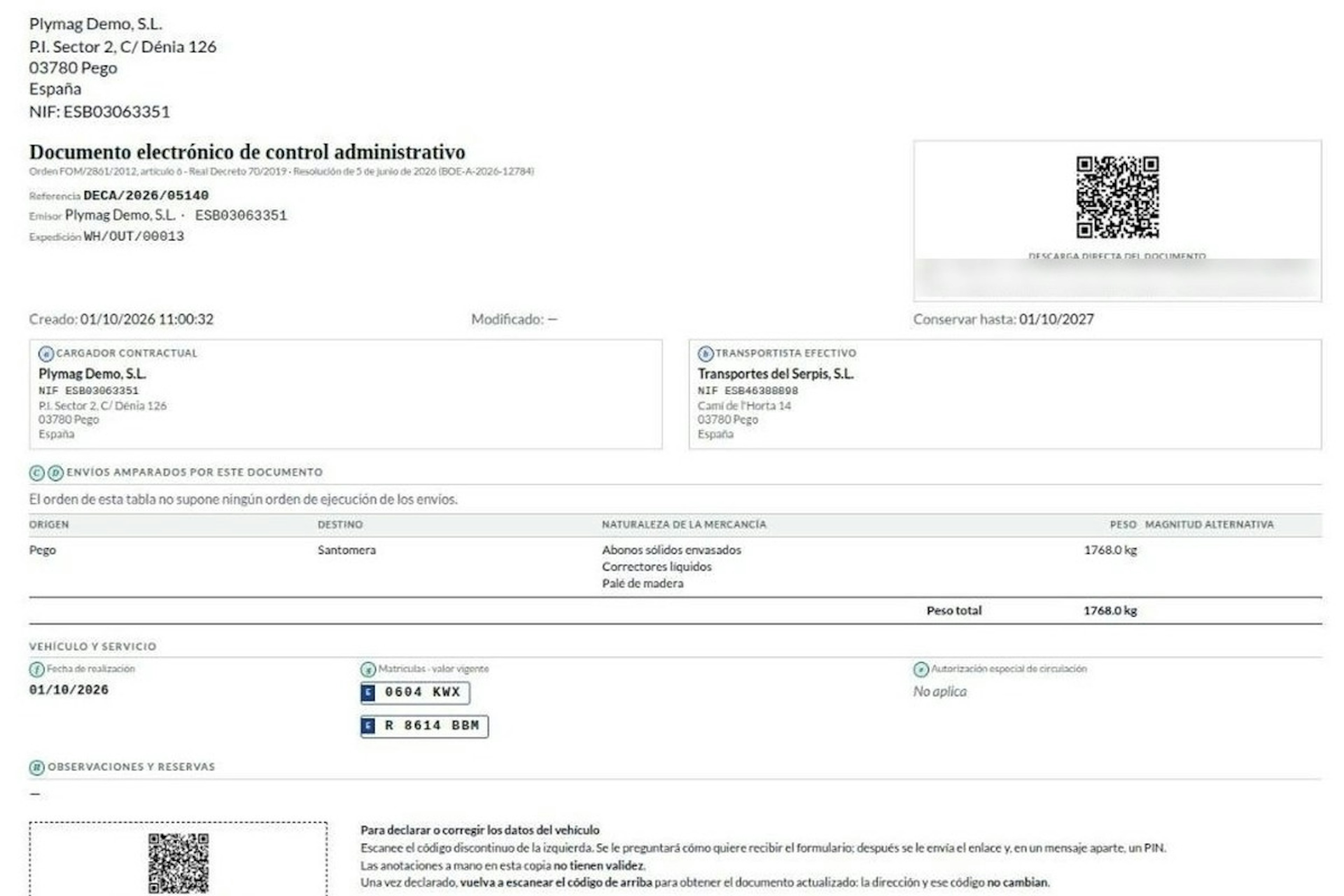
After a breakdown and vehicle change, you scan the second, dashed QR on the paper, which is not the official code. It requests a new link that goes to your registered channel, not to whoever holds the paper. You can only change plates and remarks; handwritten notes are not valid. Amending keeps the URL; replacing creates a new document that voids the old one. We walk through it in DeCA route changes.
The DeCA copy on board and its one-year retention.
Under the Resolution of 5 June 2026, the driver carries a copy on a phone or paper, always with the QR, and at a check shows the DeCA with the QR or just the QR. Shipper and carrier both keep the files for at least one year; if your client generated them, it is enough that you can download them.
What Odoo gives a transport company beyond the DeCA.
As an ERP for transport companies, Odoo brings together:
Inventory, with delivery orders and shipments, where the DeCA lives when you subcontract.
Invoicing and accounting, to bill jobs from what is recorded.
Fleet: vehicles, drivers, contracts with expiry alerts, services, accidents, odometer and costs per vehicle and per driver.
We do not sell a full TMS: route planning, tachograph or telematics are not standard and are assessed with you if needed. With Implement Odoo we take you through go-live; we are an Odoo Gold Partner with 280+ Odoo experts and 150+ customer references in Spain.
The DeCA does not replace the CMR or the eCMR.
The DeCA covers public transport with origin and destination in Spain, cabotage included. International jobs still use a CMR or eCMR.
Frequently asked questions about the DeCA for transport companies.
I am the actual carrier and my client issues the DeCA. Which data do I have to supply exactly?
You supply three mandatory items and one optional one. The Electronic Administrative Control Document (DeCA) holds eight data items under article 6 of Order FOM/2861/2012. The actual carrier supplies the special driving authorisation, where applicable, the date of the transport and the plates of the tractor and semi-trailer; you may add remarks and reservations. Your tax ID, the origin, destination, nature and weight are entered by the contractual shipper, who usually issues it: the rule binds both parties but does not say who generates the document. Your driver must also carry the copy on board before departure. The split flips on jobs you subcontract: there you are the shipper and you normally issue from your own Odoo.
Do I need a user in my client's Odoo to complete the DeCA?
No. When your client issues the Electronic Administrative Control Document (DeCA) from Odoo, you receive a link by email or SMS and, in a separate message, a six-digit PIN with three attempts. From your phone you fill in plates, date and special authorisation, and sign. The link expires and each new one revokes the last. You only see that DeCA, with the shipper's data locked. The flow depends on your client holding your correct email, mobile number and the shipping method assigned to you: at Dynapps we get that master data checked before go-live, because one wrong contact holds up the first truck.
If I subcontract some of my jobs, who issues the DeCA for that leg?
Usually you do. The rule binds both companies without saying who generates the document, and article 7.1 covers the shipper that proves issuance. Towards the company running the job with its own truck, you are the contractual shipper and they are the actual carrier, even if you are the carrier towards your end customer. The Electronic Administrative Control Document (DeCA) must identify both parties expressly and separately. In your Odoo you set the role on the delivery order, the carrier comes from the shipping method and the nature from the product category; validating then requires the issued DeCA. The role is set per delivery order, not per operation type, because one working day mixes own and subcontracted jobs. If each subcontractor has its shipping method set up from day one, the document comes out without retyping anything.
My tractor breaks down halfway through the route. What do I do with the DeCA?
You declare the new plates through the second QR on the paper. An Electronic Administrative Control Document (DeCA) issued in Odoo carries a dashed QR that only requests a link, and that link goes to your registered channel, not to whoever holds the paper. With the PIN you change plates and remarks, nothing else. The Resolution of 5 June 2026 allows either amending the existing PDF, which keeps the URL and marks the old data as no longer valid, or generating a new one with a different URL. Either way, the driver must receive the updated version. Crossing out and writing by hand on the printed copy does not count.
How does my driver carry the DeCA in the cab, and what do they show at a roadside check?
A copy with its QR, on a phone or on paper. The Resolution of 5 June 2026 from the Ministry of Transport and Sustainable Mobility requires the Electronic Administrative Control Document (DeCA) to reach the driver before the service starts. At a check, the driver shows the DeCA with the QR or, failing that, just the QR, which downloads the PDF from a unique https URL without credentials. How the copy reaches the driver is agreed between you and your client; the software does not decide it. Both parties keep the file for one year, and it is enough that the one who did not generate it can download it.
Does Odoo work as an ERP for a transport company, or only for the DeCA?
It works as an ERP, with clear limits. Odoo combines Inventory, with delivery orders and shipments, Invoicing and the Fleet app, which records vehicles, drivers, contracts, services, accidents, odometer readings and costs. Inside that Odoo, Dynapps adds issuing the Electronic Administrative Control Document (DeCA), which standard Odoo does not include. What Odoo is not out of the box is a TMS: route planning, tachograph and telematics sit outside the standard and are assessed separately on each project. Our advice is to tidy up vehicle, carrier and goods-type records before go-live, because a transport ERP with half-filled records produces half-filled DeCAs.
Bring the DeCA into your Odoo: talk to our team in Spain.
If you subcontract and issue it yourself, or want to run jobs, fleet and invoicing in Odoo with the DeCA built in, we review your case on a call. Book a DeCA demo in Odoo and see the flow from both sides: issuing from Odoo and receiving the link.
More posts like this
13-minute read
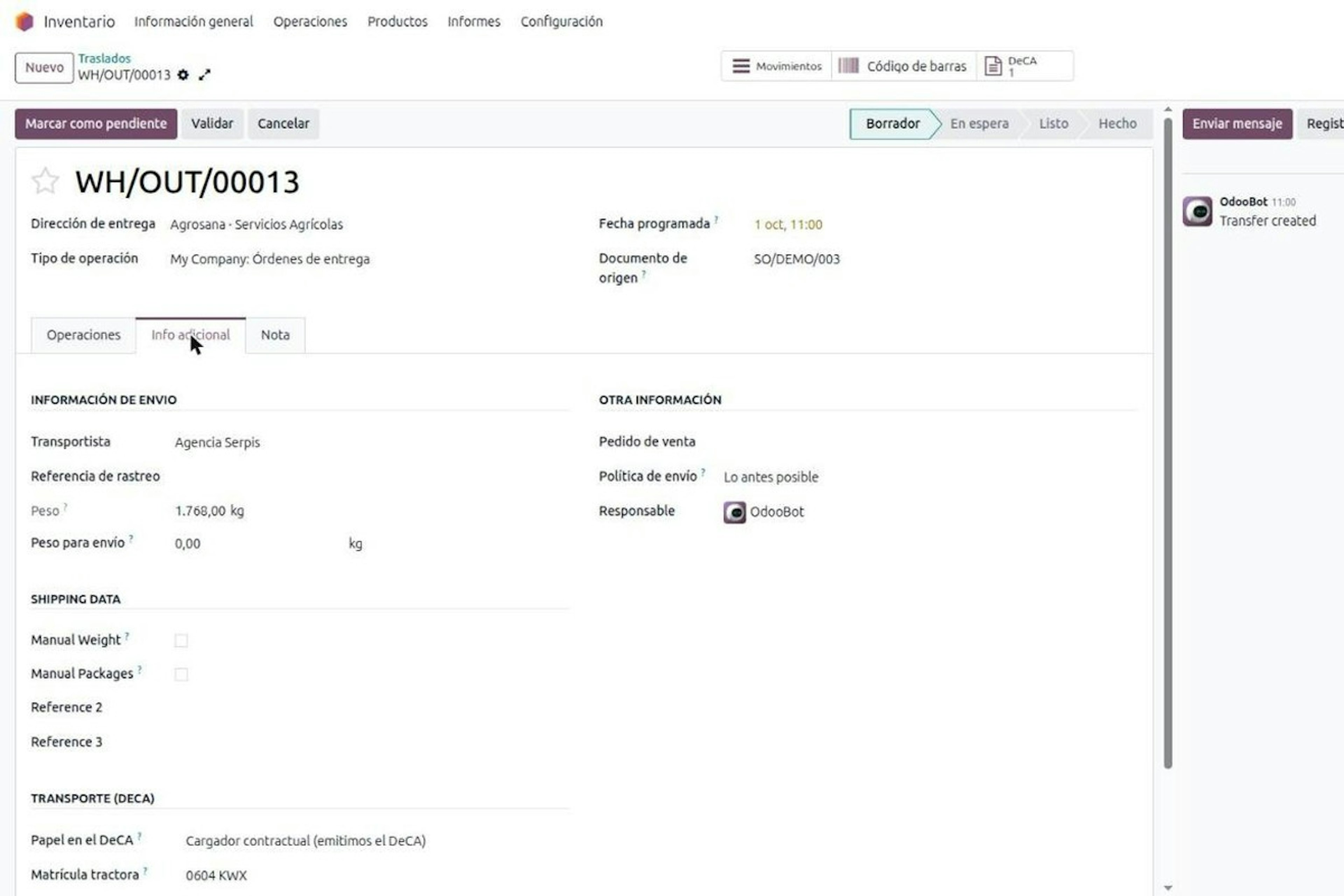
DeCA in Odoo: the transport control document, issued from the delivery order.
The DeCA is mandatory from 5 October 2026. If you run Odoo, you issue it from the delivery order with no separate tool, and the carrier adds the plate from their phone.
8-minute read
Who must issue the DeCA: both parties, and in Odoo you decide it on each delivery order.
The DeCA binds both the contractual shipper and the actual carrier, even if you own no trucks. Five questions to find out which one you are and how it shows on each Odoo delivery order.
8-minute read
How the DeCA works in Odoo when the truck changes on the road: QR, secure link and PIN.
A breakdown, a different semi-trailer, a reservation about the load: this is how the DeCA is amended in Odoo during transport, with two QR codes, a link only the carrier receives and a six-digit PIN.