How the DeCA works in Odoo when the truck changes on the road: QR, secure link and PIN.
A breakdown, a different semi-trailer, a reservation about the load: this is how the DeCA is amended in Odoo during transport, with two QR codes, a link only the carrier receives and a six-digit PIN.
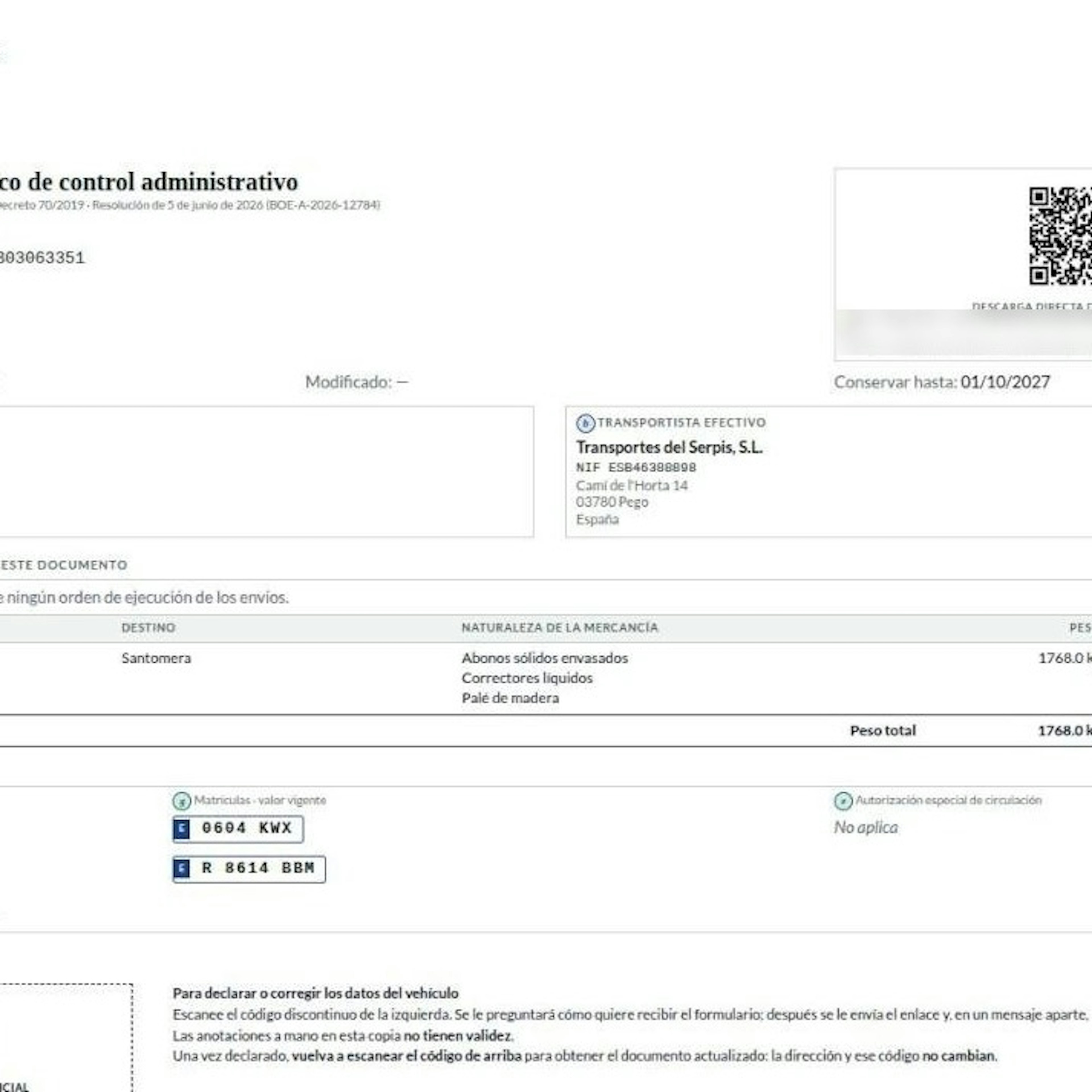
If you want to know how the DeCA works in Odoo once the truck has left the dock, the answer comes down to three pieces Odoo generates on its own: a QR code for the authorities, a second QR code for declaring changes, and a PIN-protected link that only the carrier receives.
Since 5 October 2026 the Documento electrónico de Control Administrativo (DeCA, Spain's electronic administrative control document) is mandatory for public road freight inside Spain. The Resolution of 5 June 2026 sets out how it is corrected once the service has started. If you are not yet clear on how it is issued from the delivery order, start with our guide to the DeCA in Odoo, issued from the delivery order.
What can change in the DeCA during transport, and who changes it.
The DeCA is issued before departure. Then a breakdown forces a tractor swap, a different semi-trailer turns up, or the driver wants to record a reservation about the load. The FAQ of the Ministry of Transport and Sustainable Mobility is clear: if the vehicle changes after transport has begun, the transport company must record it in the document.
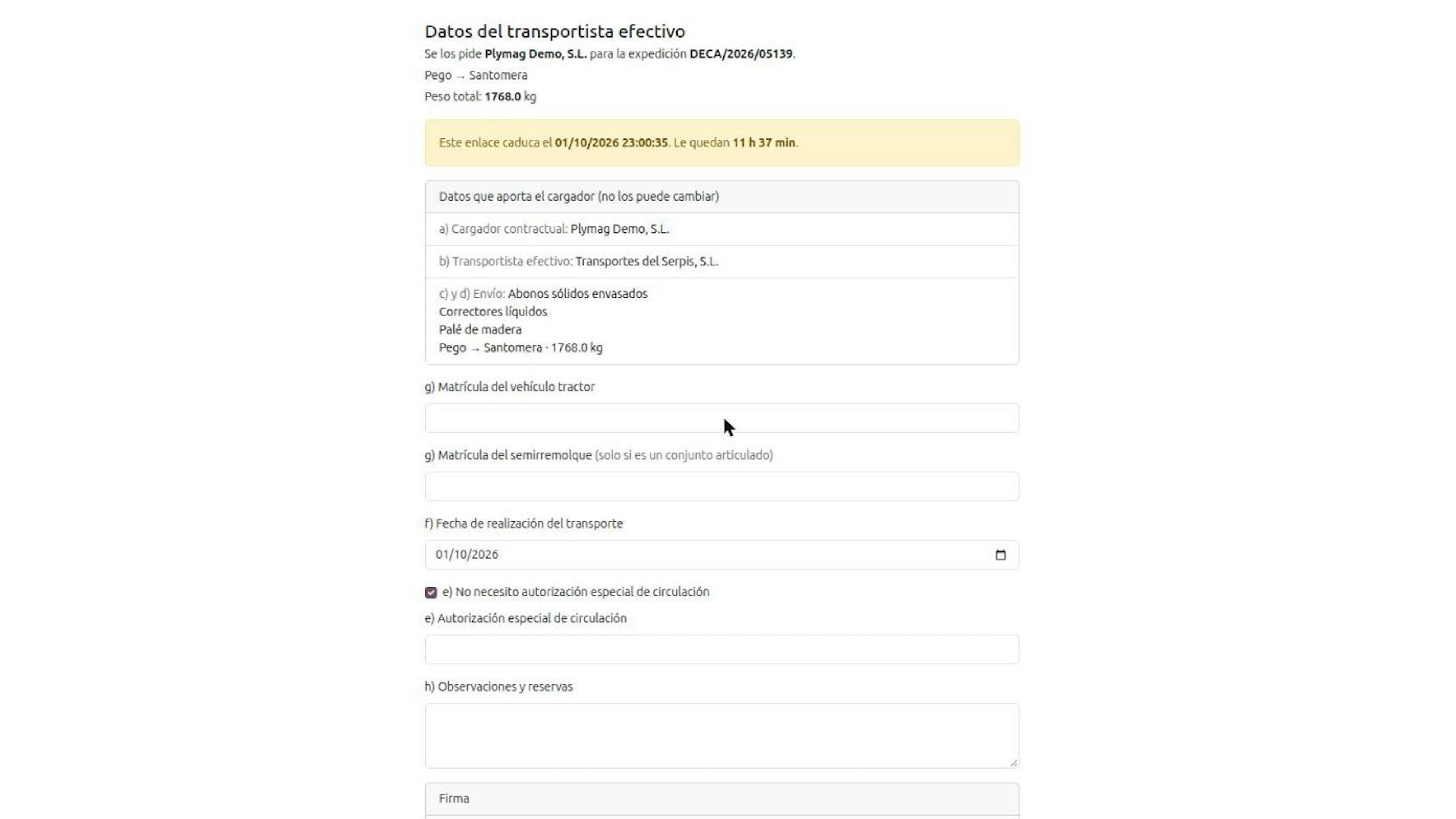
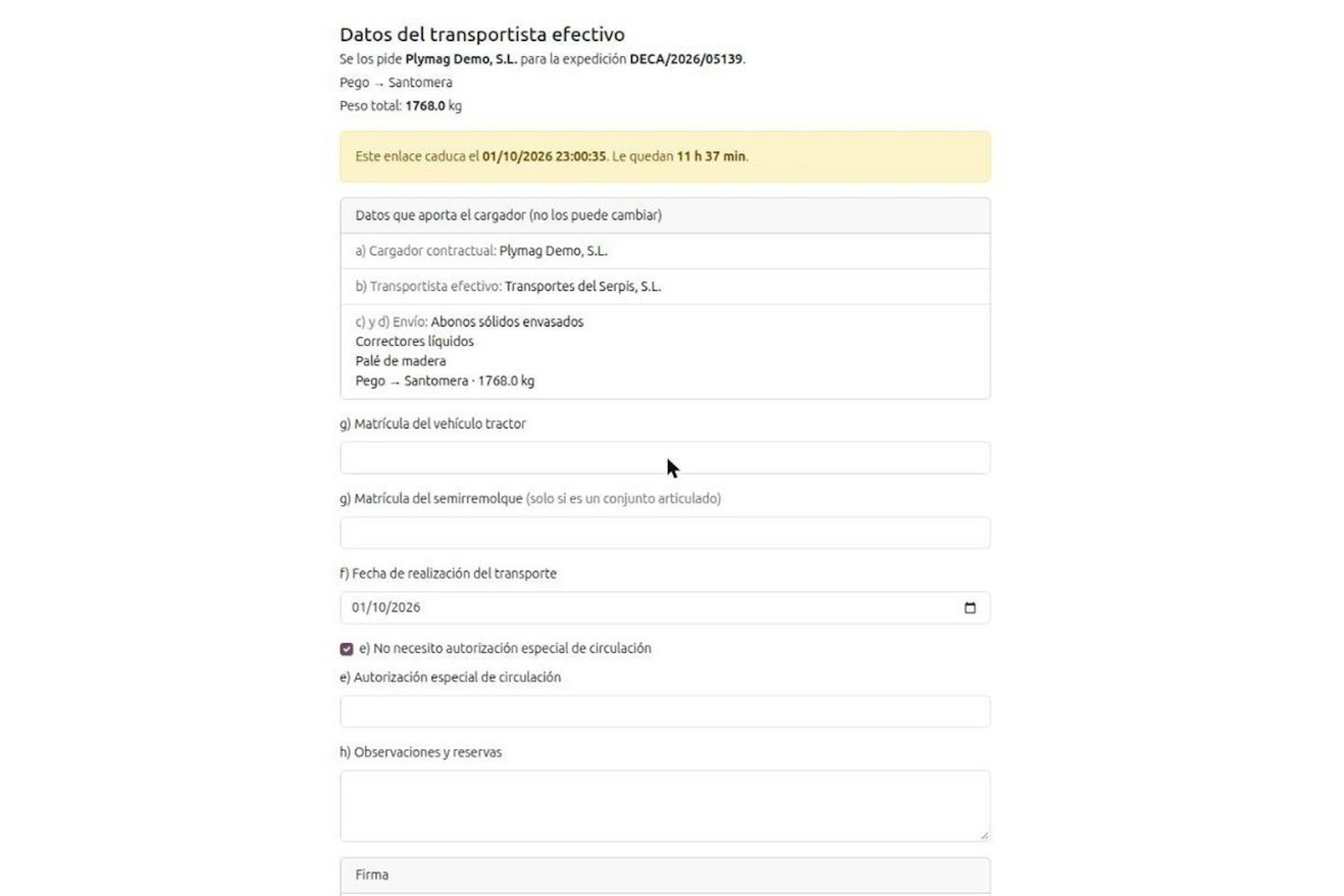
In the Odoo flow, from the road the transportista efectivo (actual carrier) can only touch two of the data items in article 6 of Orden FOM/2861/2012:
a, b, c, d · Content: Shipper, carrier, origin and destination, nature and weight · Changed on the road from the QR?: No. These belong to the cargador contractual (contractual shipper)
g · Content: Plates of the tractor and the semi-trailer · Changed on the road from the QR?: Yes, by the carrier
h · Content: Remarks and reservations · Changed on the road from the QR?: Yes, by the carrier
On the carrier's form, the shipper's data appears locked.
The two DeCA QR codes and what each one is for.
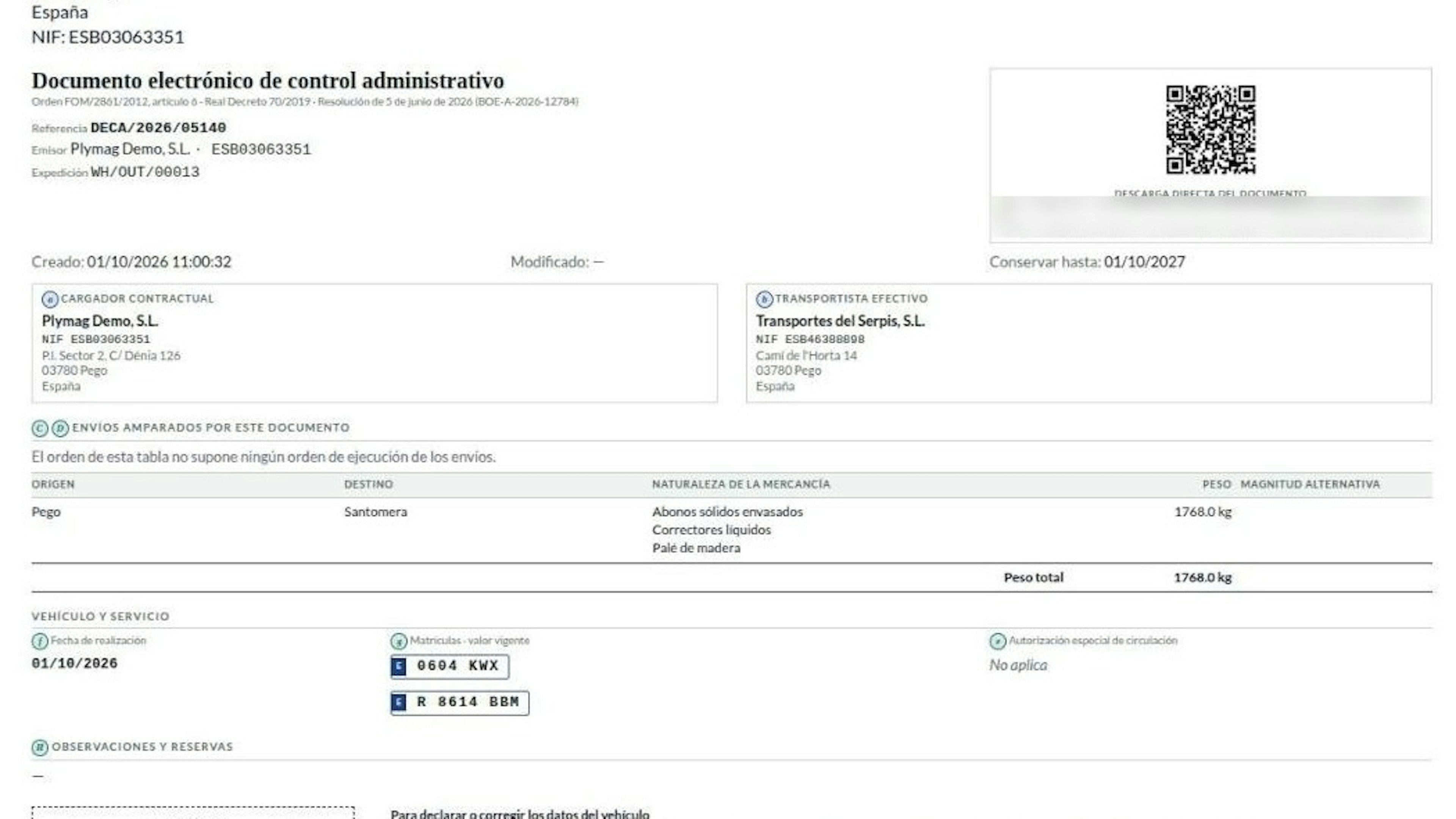
The PDF Odoo generates carries two QR codes with opposite jobs.
The verification QR, in the header. This is the official code. It points to a unique URL starting with https://, served over TLS 1.2 or higher, which downloads the PDF without credentials. Officers scan it at a roadside check while the service lasts (third section of the Resolution). The PDF is native and under 5 MB.
The dashed QR, at the foot. It reads "not the official code" and does not open the document. It does one thing only: request a link for declaring or correcting the vehicle data. Scanning it changes nothing by itself.
The DeCA plate change flow, step by step.
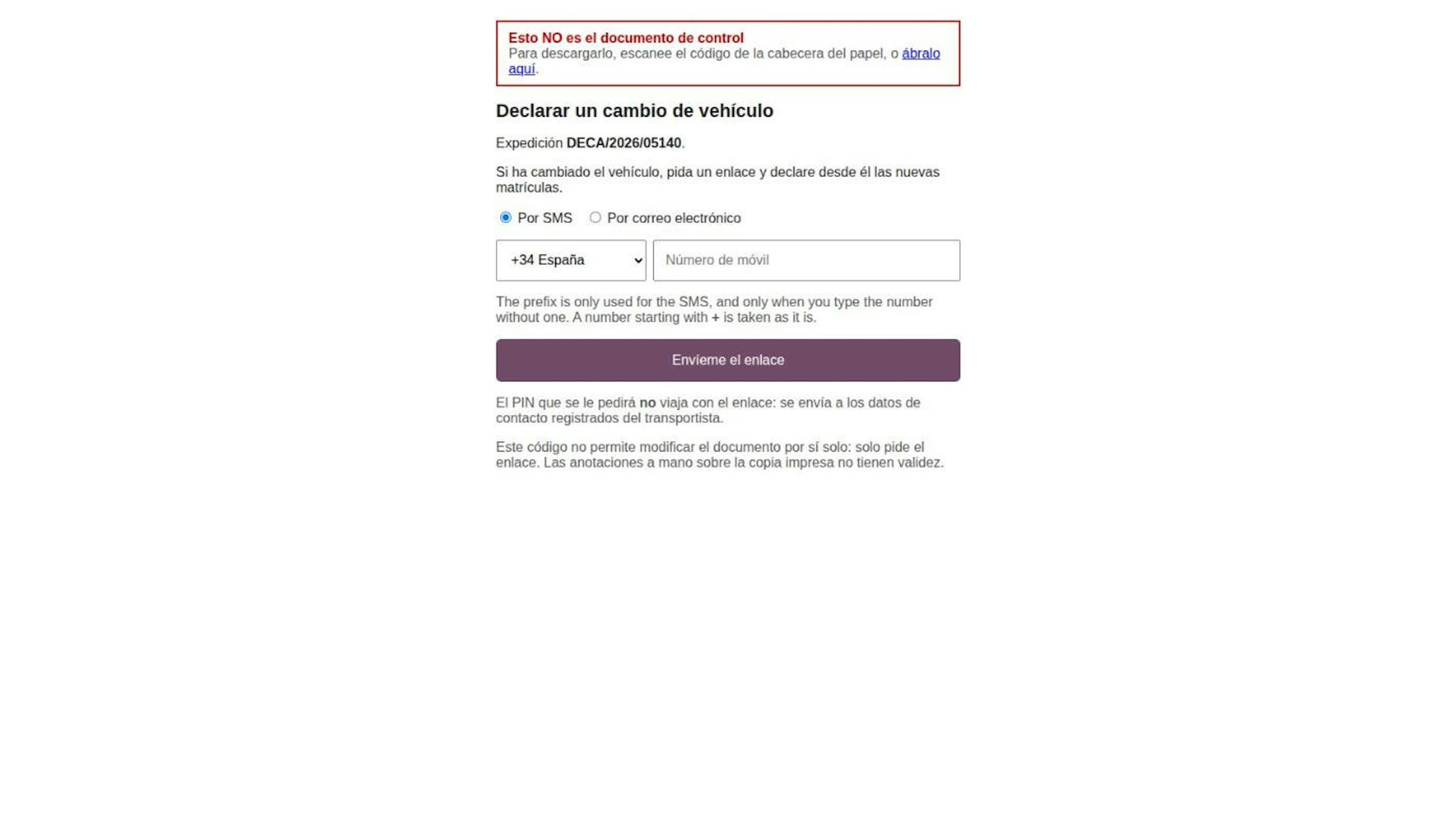
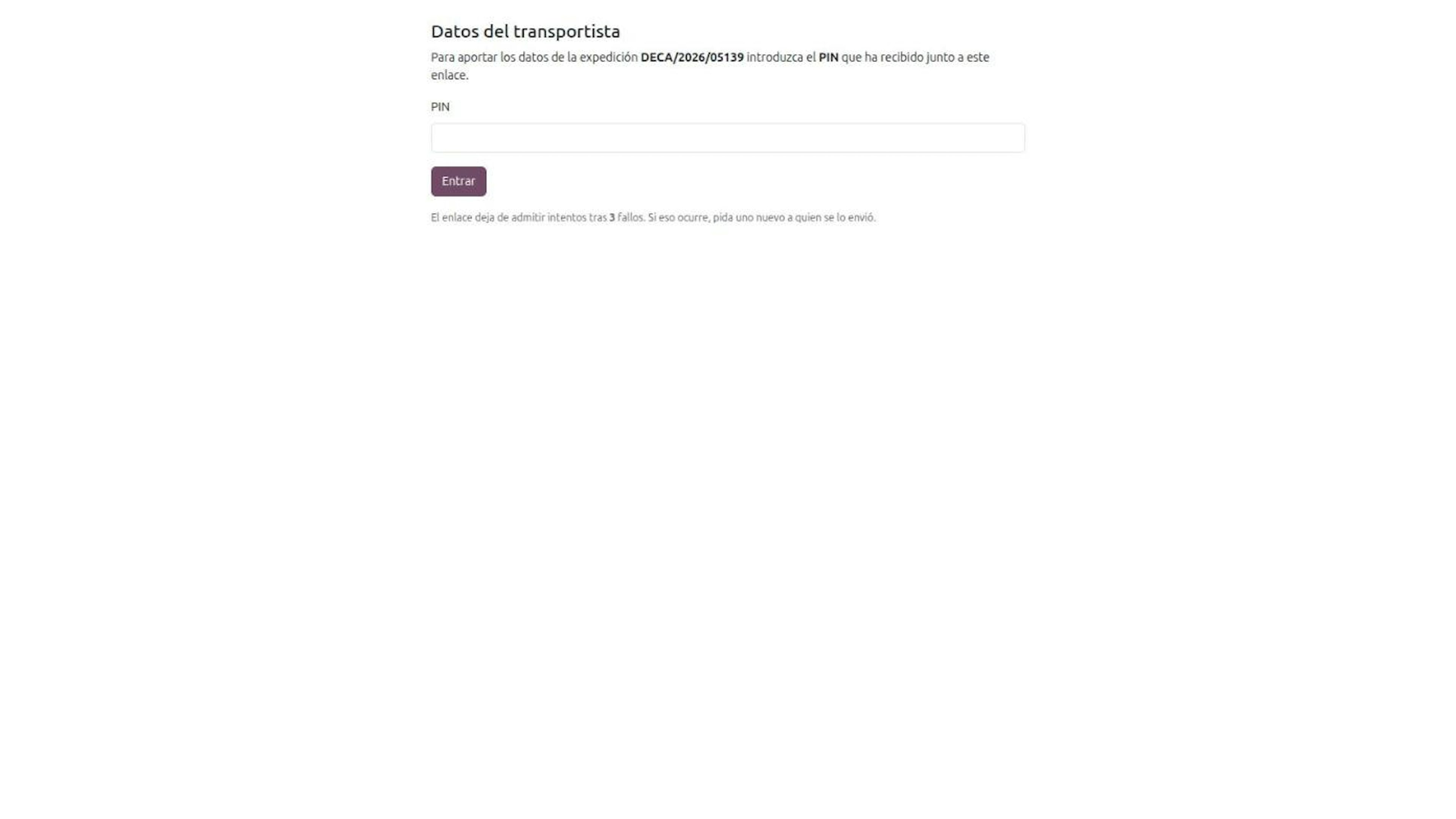
The driver scans the dashed QR and chooses how to receive the form: SMS or email.
Odoo sends the link to the actual carrier's registered channel, not to whoever is holding the paper. A copy left in a cab is not enough to alter the DeCA.
The PIN arrives in a separate message. It has six digits and allows three attempts; after the third failure the link stops accepting them and a new one must be requested.
The link expires at the time shown on the form itself. Each new link revokes the previous one: only the latest works.
The carrier enters the new plates and, if needed, remarks and reservations, from a phone. Signing is optional; the rules do not require it.
The driver scans the header QR again and gets the updated document. The address and the code stay the same.
If you run a fleet, see this flow from your side in DeCA for transport companies with Odoo.
Amend or replace the DeCA: when to use each method.
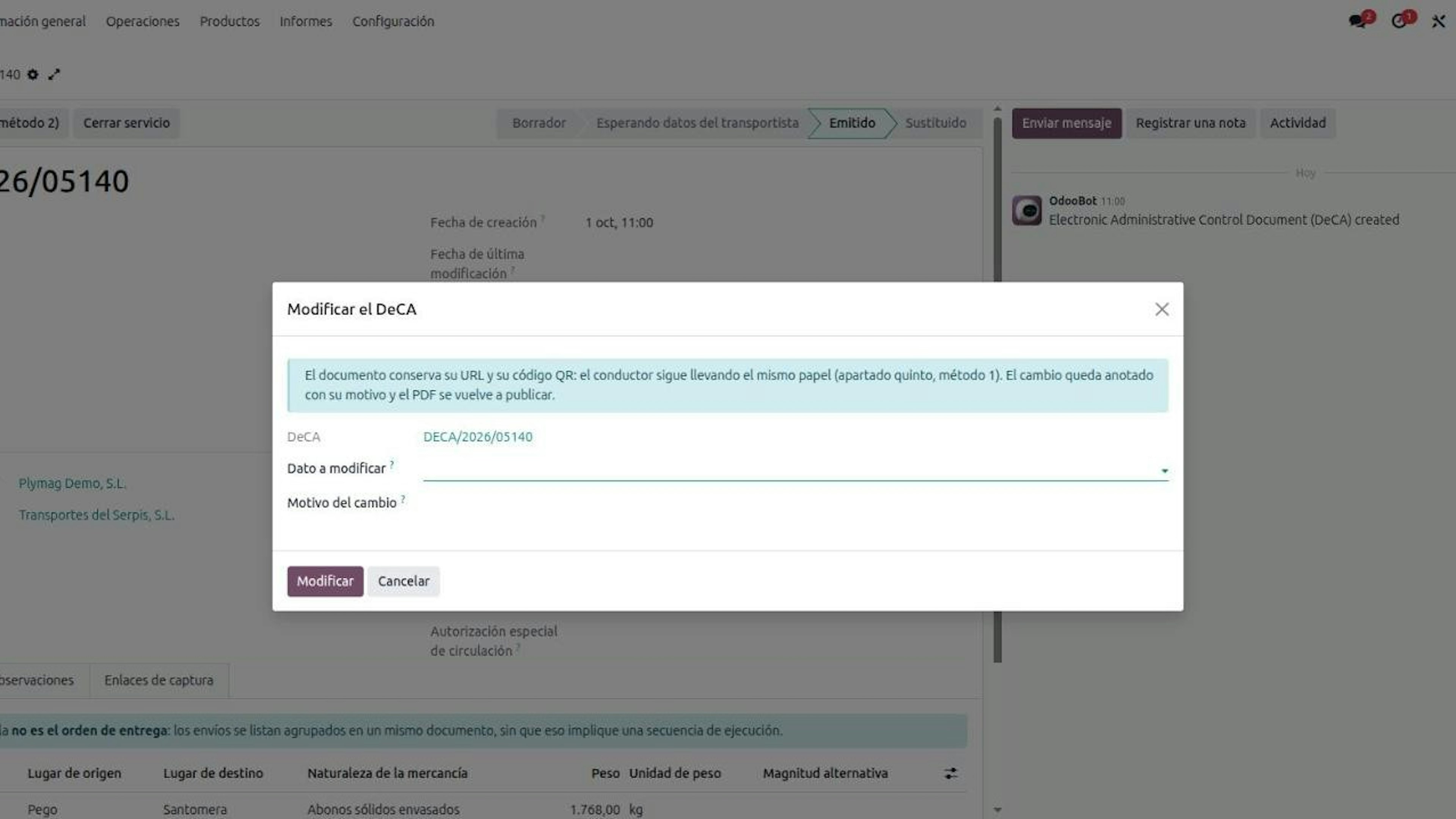
The fifth section of the Resolution allows two methods, and Odoo has a button for each:
What happens to the PDF · Amend (method 1): New data and the reason are added; old data is marked as no longer valid · Replace (method 2): A new PDF is generated with all the data
URL and QR · Amend (method 1): Same · Replace (method 2): New
Previous document · Amend (method 1): It is the same document · Replace (method 2): Marked as replaced and kept for traceability
Driver's copy · Amend (method 1): Still valid · Replace (method 2): The new one must reach the driver
A change declared by the carrier from the QR is always an amendment. Replacing makes sense when you want a clean document and can get the new PDF to the driver before the trip continues. The rules do not say when to use each one; they do say that in both cases the final PDF must reach the driver.
Handwritten notes do not count.
Crossing out a plate with a pen changes nothing. The seventh section of the Resolution states that handwritten notes on a printed copy are disregarded, and that the only valid route is the one in the fifth section. The Odoo PDF reminds the driver of this next to the dashed QR.
The history stays in Odoo and is kept for one year.
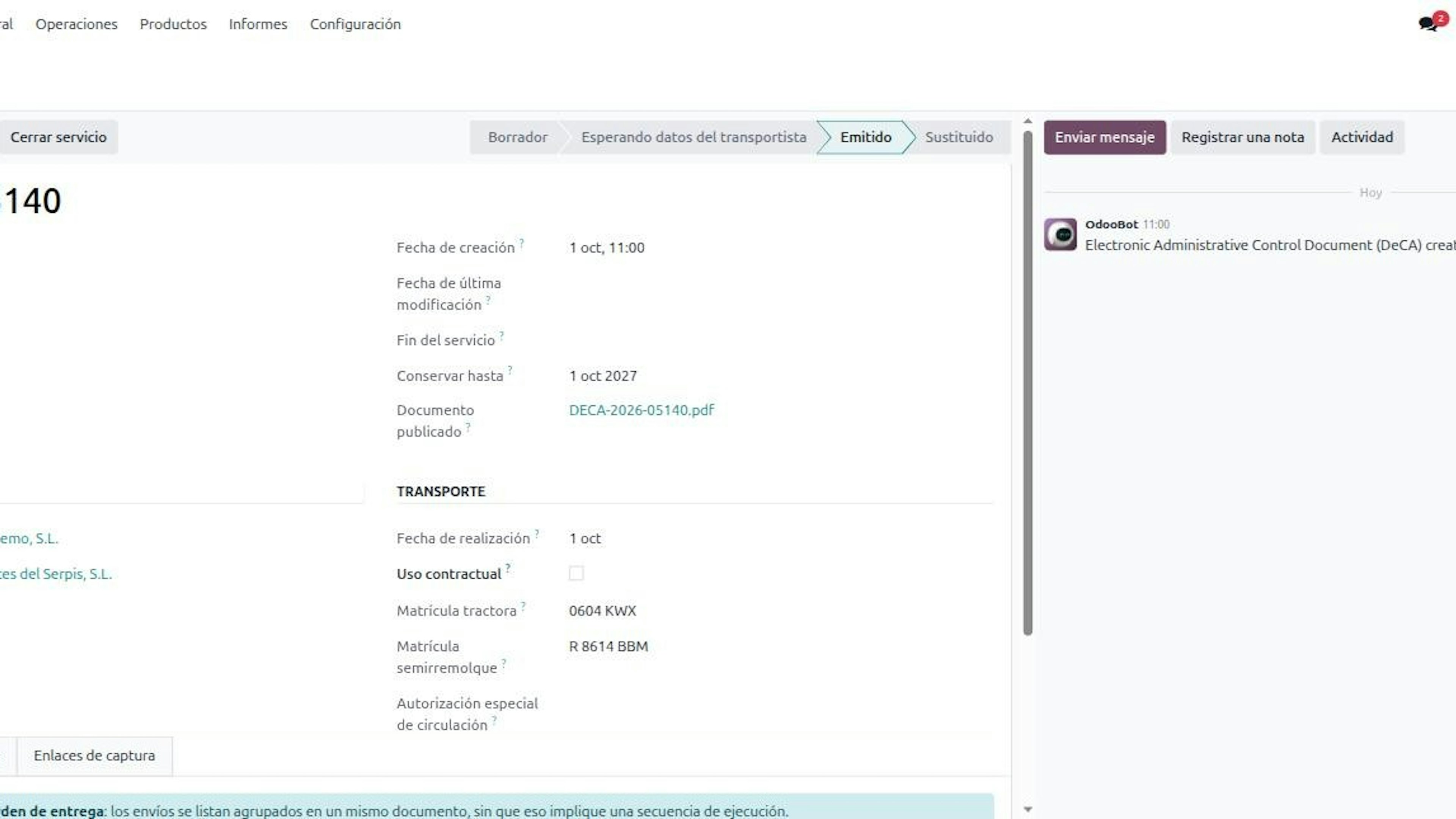
Every amendment is recorded in Odoo with its date, time and reason, in a history that cannot be deleted. The PDF shows a "keep until" date one year later, the minimum set by the second section. In a multi-company setup, one company never sees another's DeCA documents. Who is responsible for keeping them is covered in who must issue the DeCA.
Frequently asked questions about the DeCA on the road.
Our tractor broke down mid-route and the carrier is switching trucks. Do we need to issue a new DeCA?
No. The Documento electrónico de Control Administrativo (DeCA) can be changed by two methods under the fifth section of the Resolution of 5 June 2026, and the most direct is amending the existing document. In Odoo, the driver scans the dashed QR, the actual carrier receives the link on their registered channel, enters the PIN and declares the new tractor or semi-trailer plate. The URL and the header QR do not change, so the driver's copy stays valid. The limit: from that QR only plates and remarks can be changed; origin, destination, nature and weight belong to the contractual shipper and are not touched from the road.
My driver carries a printed DeCA. Can they cross out the plate and write the new one by hand after a semi-trailer change?
No. Handwritten notes have no validity on the Documento electrónico de Control Administrativo (DeCA): the seventh section of the Resolution of 5 June 2026 says they are disregarded and that the only valid way to amend is the one in the fifth section. What counts at a check is the PDF the officer downloads from the unique URL behind the header QR. The right way is for the driver to scan the dashed QR, for the actual carrier to declare the change with their PIN, and for the driver then to scan the header QR again to confirm the new data.
What exactly does each DeCA QR code do, and which one do officers scan at a check?
Officers scan the header QR, the only official code on the Documento electrónico de Control Administrativo (DeCA). That QR holds a unique URL starting with https, served over TLS 1.2 or higher, which downloads the PDF with no username or password for the whole service, as the third section of the Resolution of 5 June 2026 requires. The second QR, with a dashed border, is added by Odoo for changes on the road: it does not open the document and only requests a capture link for the actual carrier. Mind the limit: the rules only require the verification QR; the dashed one supports the flow and is not a legal requirement.
If someone finds the DeCA copy in the cab, could they change the document by scanning the QR?
No. The dashed QR on the Documento electrónico de Control Administrativo (DeCA) only requests a link, and Odoo sends it to the actual carrier's registered email or mobile, never to whoever holds the paper. On top of that, the six-digit PIN travels in a separate message, allows three attempts, and the link expires. Each new link revokes the previous one. For this to protect you, it has to be set up properly before go-live: the carrier must be set on the shipping method with an up-to-date email and mobile. That is the master data we review with every customer before the first truck leaves.
How long do we have to keep the DeCA and its amendments, and who does it?
At least one year, and that is a minimum. The second section of the Resolution of 5 June 2026 requires the files of the Documento electrónico de Control Administrativo (DeCA) to be kept for that period, and the duty falls on both parties: article 9 of Orden FOM/2861/2012 places it on the contractual shipper and the actual carrier alike. In Odoo the PDF shows a "keep until" date, and every amendment or replacement goes into a history that cannot be deleted, with its date and time, as the first section requires. The limit: one year is the legal minimum; if your internal policy asks for longer, that is your company's decision.
We are the contractual shipper. How does the carrier correct the plates without a user in our Odoo?
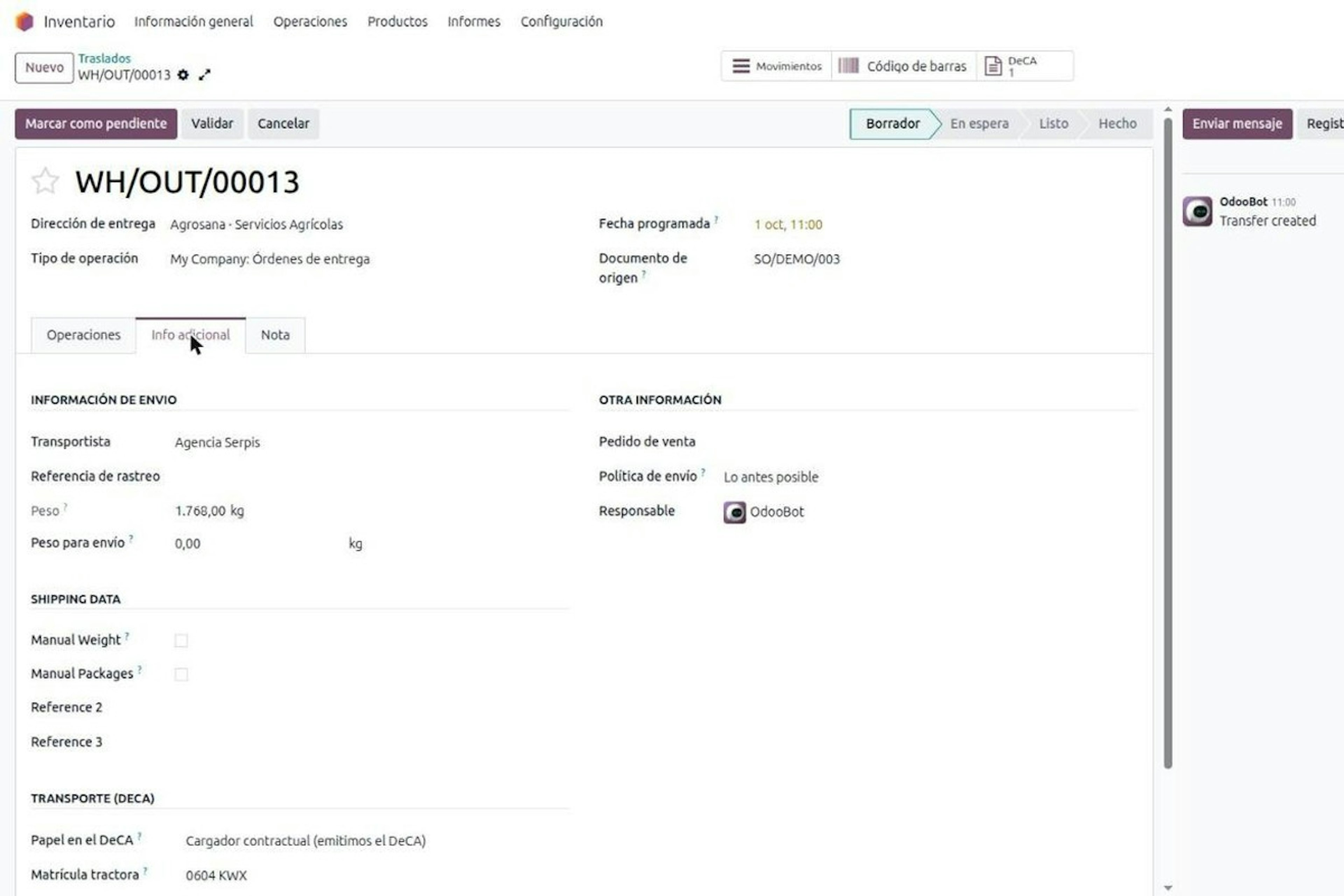
With the capture link. The actual carrier needs no user: Odoo sends a link by email or SMS, with a six-digit PIN and three attempts, and from a phone they complete their share of the Documento electrónico de Control Administrativo (DeCA): plates, date, special driving authorisation and remarks. On the road, the same flow starts from the dashed QR on the PDF. The limit: the link only gives access to items e, f, g and h; nothing the shipper answers for. Before go-live, settle who the carrier is on each shipping method and which nature of goods each product category carries, because everything else comes from that record.
Book a demo of the DeCA in Odoo.
The on-the-road change flow only works if the delivery order, the shipping method and the product category are right before the first truck leaves. Dynapps is an Odoo Gold Partner with 150+ customer references in Spain, and we will show you the DeCA in Odoo with your own delivery orders. Talk to our team in Spain.
More posts like this
13-minute read
DeCA in Odoo: the transport control document, issued from the delivery order.
The DeCA is mandatory from 5 October 2026. If you run Odoo, you issue it from the delivery order with no separate tool, and the carrier adds the plate from their phone.
8-minute read
DeCA for transport companies with Odoo: you supply your data by link and issue it when you subcontract.
As the actual carrier, the DeCA binds you, but you will usually supply the special authorisation, date and plates through the link your client's Odoo sends you. When you subcontract, you will normally issue it from your own Odoo.
8-minute read
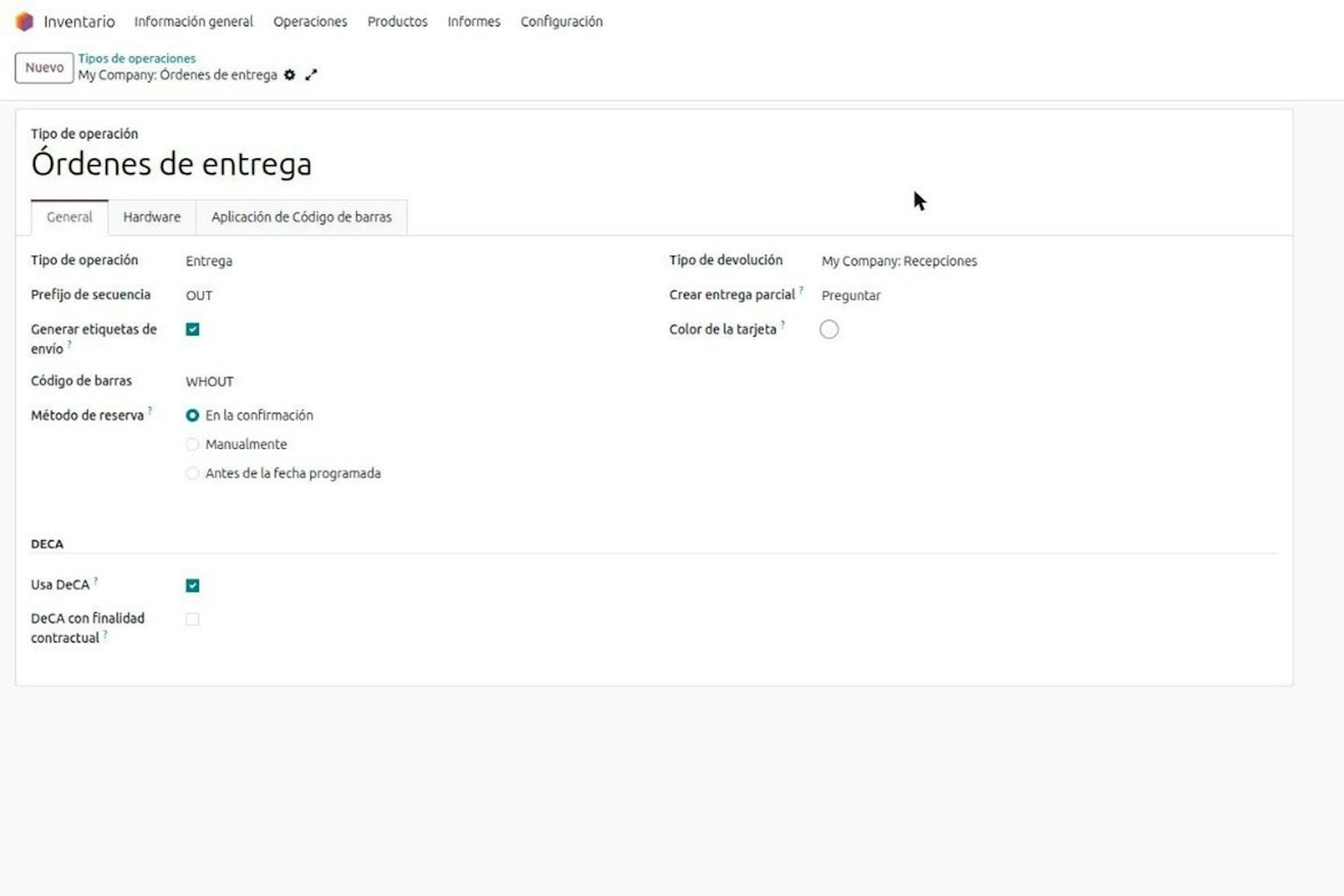
Who must issue the DeCA: both parties, and in Odoo you decide it on each delivery order.
The DeCA binds both the contractual shipper and the actual carrier, even if you own no trucks. Five questions to find out which one you are and how it shows on each Odoo delivery order.