DeCA in Odoo for distribution companies: comply even without trucks.
If you distribute with Odoo and contract the transport, the DeCA binds you even if you own no truck, and you will usually be the one issuing it. What data you supply, why it is already on your delivery order and what daily work looks like.
If you distribute, manufacture or sell wholesale with Odoo and pay a haulier to move your goods, DeCA rules for distribution apply to you, not just to your carrier. Since 5 October 2026, the Documento electrónico de Control Administrativo (DeCA), Spain's electronic administrative control document, travels with every public road freight journey inside Spain. The rule binds both the cargador contractual (contractual shipper) and the transportista efectivo (actual carrier), and the usual practice is for the shipper to issue it. That means you, even with no trucks, straight from the Odoo delivery order.
Most distributors do not know they are obliged. This is what daily work looks like with the DeCA in Odoo.
Why the DeCA is yours even without trucks.
The rule asks who contracts the transport, not who owns vehicles. Orden FOM/2861/2012 separates the contractual shipper, who contracts transport with a third party, from the actual carrier, who carries it with their own means.
The quick test: who pays the transport invoice? If you pay a third party to move your goods, you are the contractual shipper and the DeCA binds you just as it binds the carrier. The rule does not say who generates it; the usual practice, and the flow we set up in Odoo, is that you issue it: you already hold four of the eight items and, if you prove issuance, article 7.1 relieves you of answering for the copy being on board. Goods of a group company count as third-party goods.
You are out with international transport (CMR or eCMR), pure complementary private transport, or shipments of a few packages under article 2.1 d). The full decision tree is in who must issue the DeCA.
The data you supply is already on your Odoo delivery order.
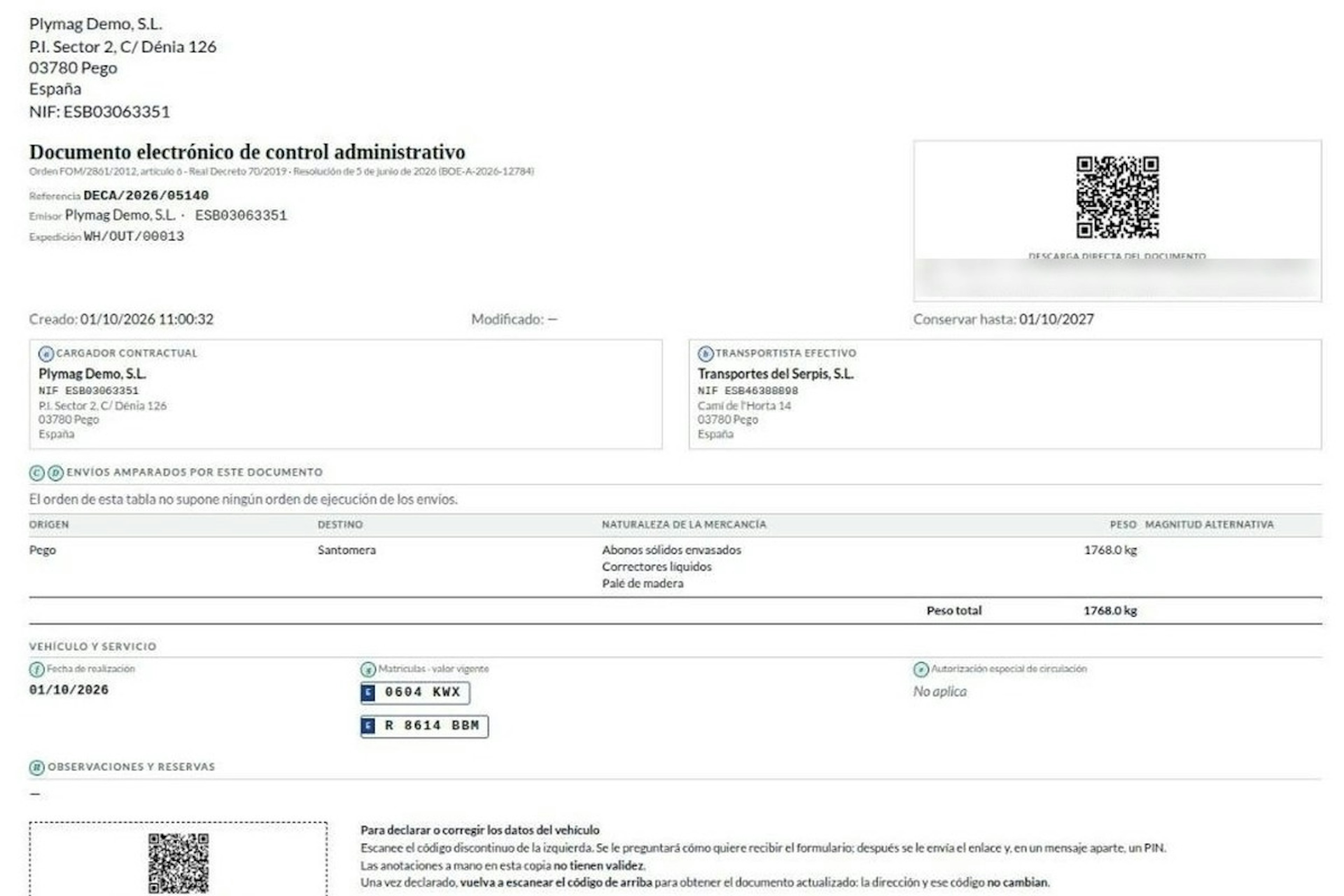
Article 6 sets eight data items, a to h. Four belong to the shipper, and all four already live in your Odoo:
a · What it is: Name, tax ID and address of the shipper · Where it is in Odoo: Your company record
b · What it is: Name and tax ID of the actual carrier · Where it is in Odoo: Shipping method on the delivery order
c · What it is: Origin and destination · Where it is in Odoo: Warehouse and delivery address
d · What it is: Nature and weight of the goods · Where it is in Odoo: Product category and delivery order weight
The carrier supplies the special driving authorisation (e), date (f) and tractor and semi-trailer plates (g); remarks and reservations (h), either party. You invent no data: you organise what you have.
Daily work with the DeCA in Odoo for a distributor.
Standard Odoo does not include the DeCA. At Dynapps we add it to Odoo Inventory as a record of its own, attached to the shipment.
The nature of the goods is declared once.
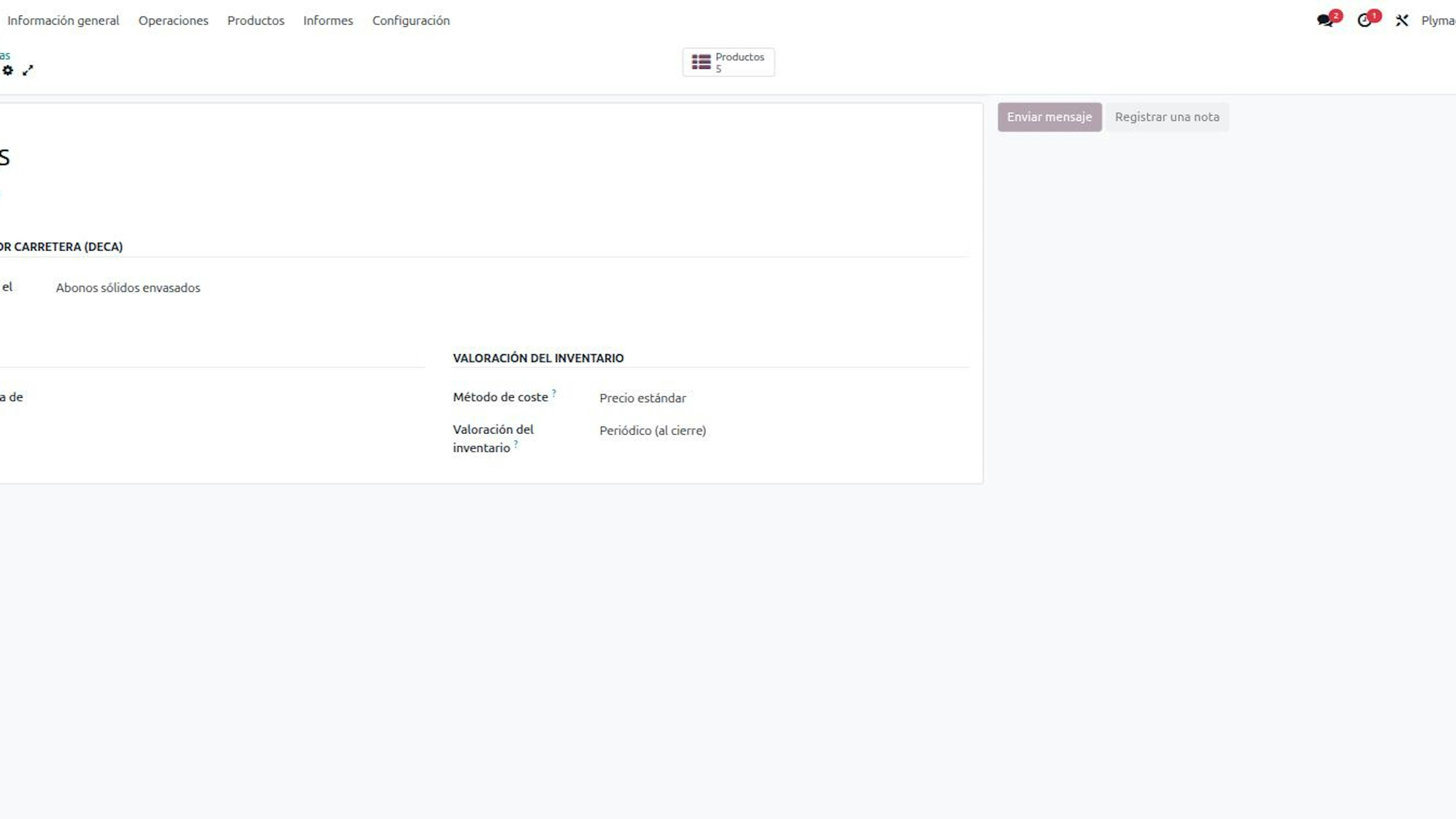
Item d asks for the class of goods, not the commercial reference: a pallet with twelve references of packaged fertiliser is a single nature. It is declared on the product category and products inherit it unless flagged. With thousands of references, you fill in a handful of categories.
The carrier comes from the shipping method.
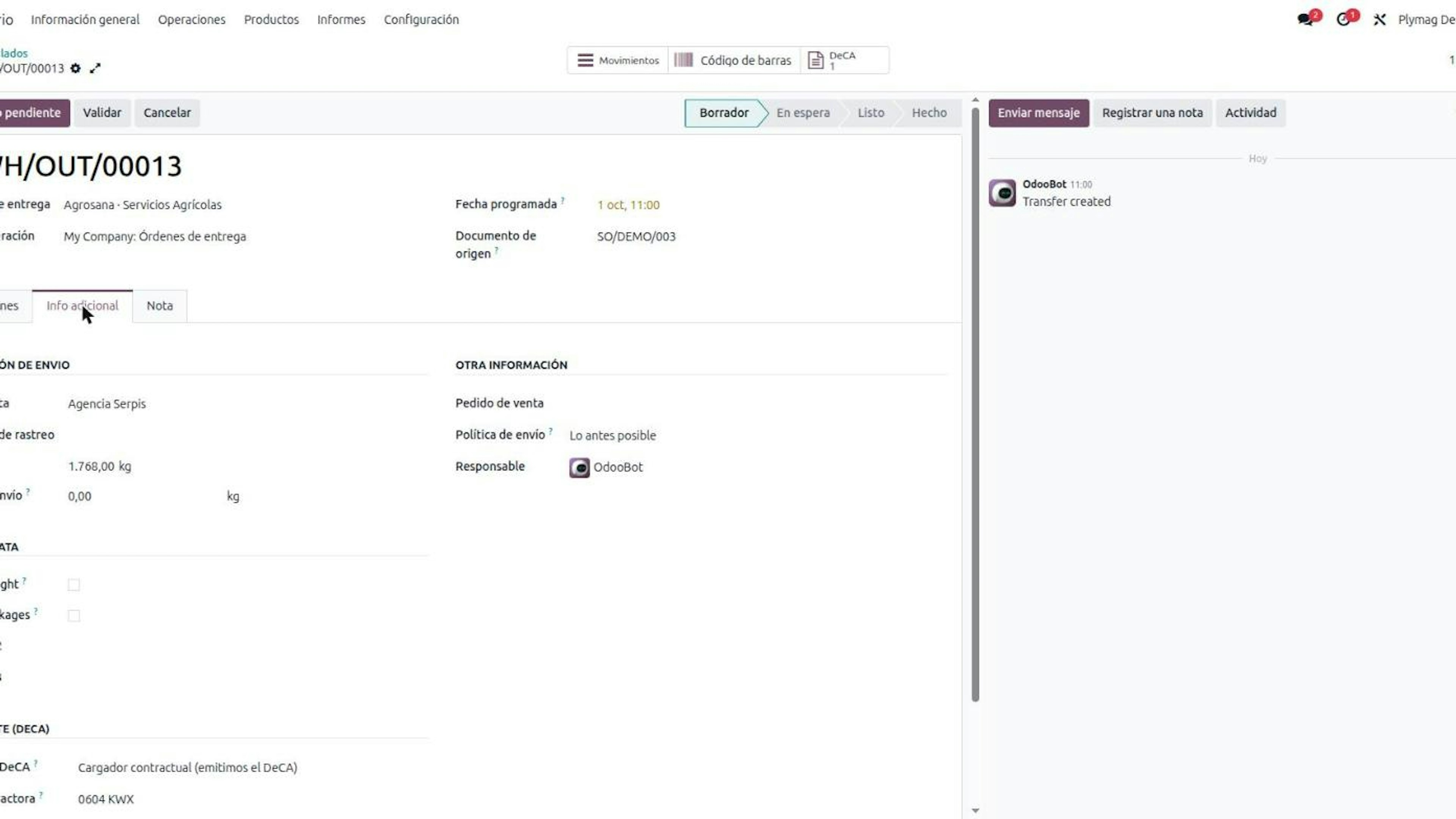
On each shipping method you set the actual carrier once. Weight comes from the delivery order, and if you correct it by hand, the DeCA keeps your figure.
The DeCA is issued when you validate the delivery order.
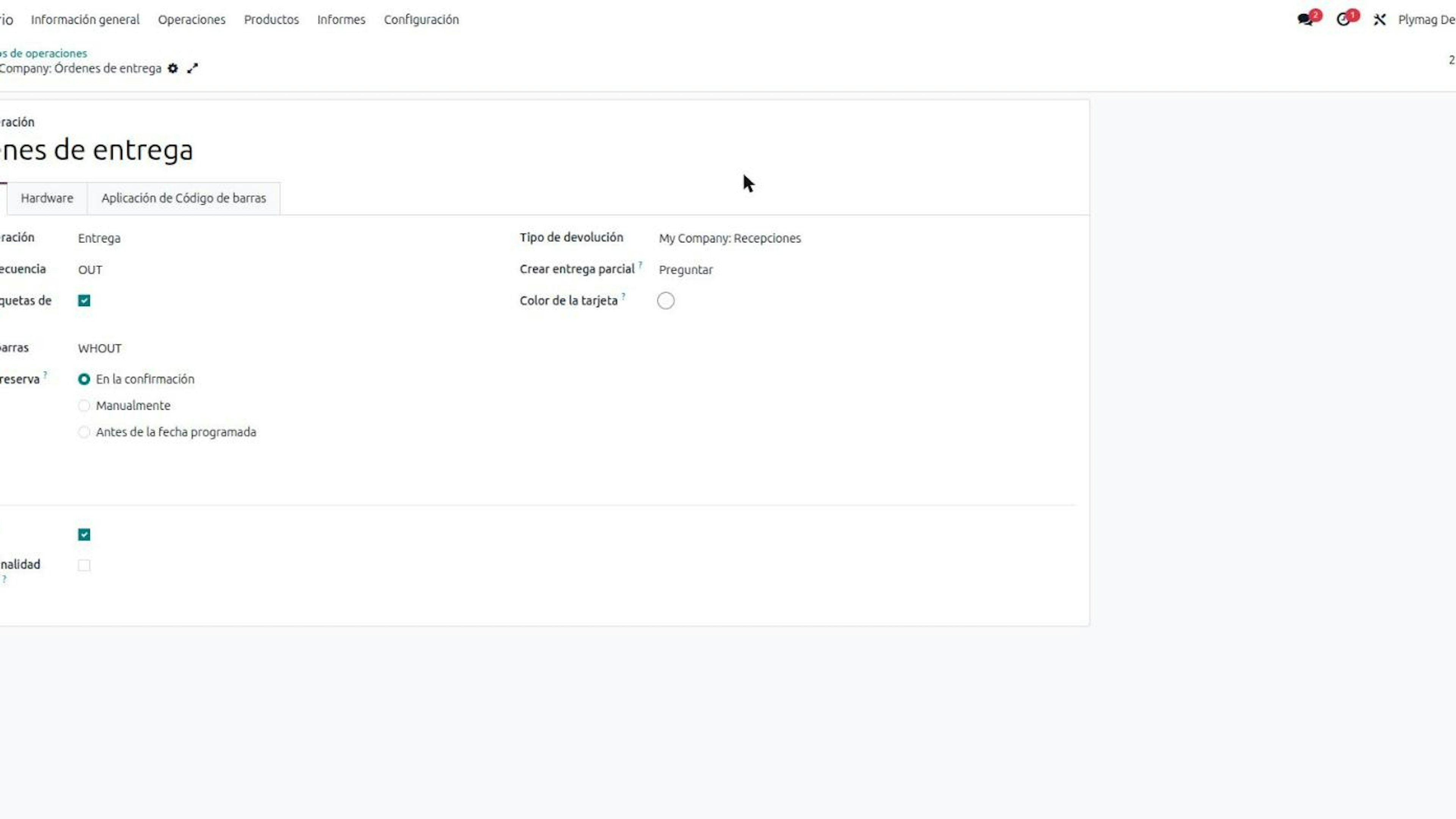
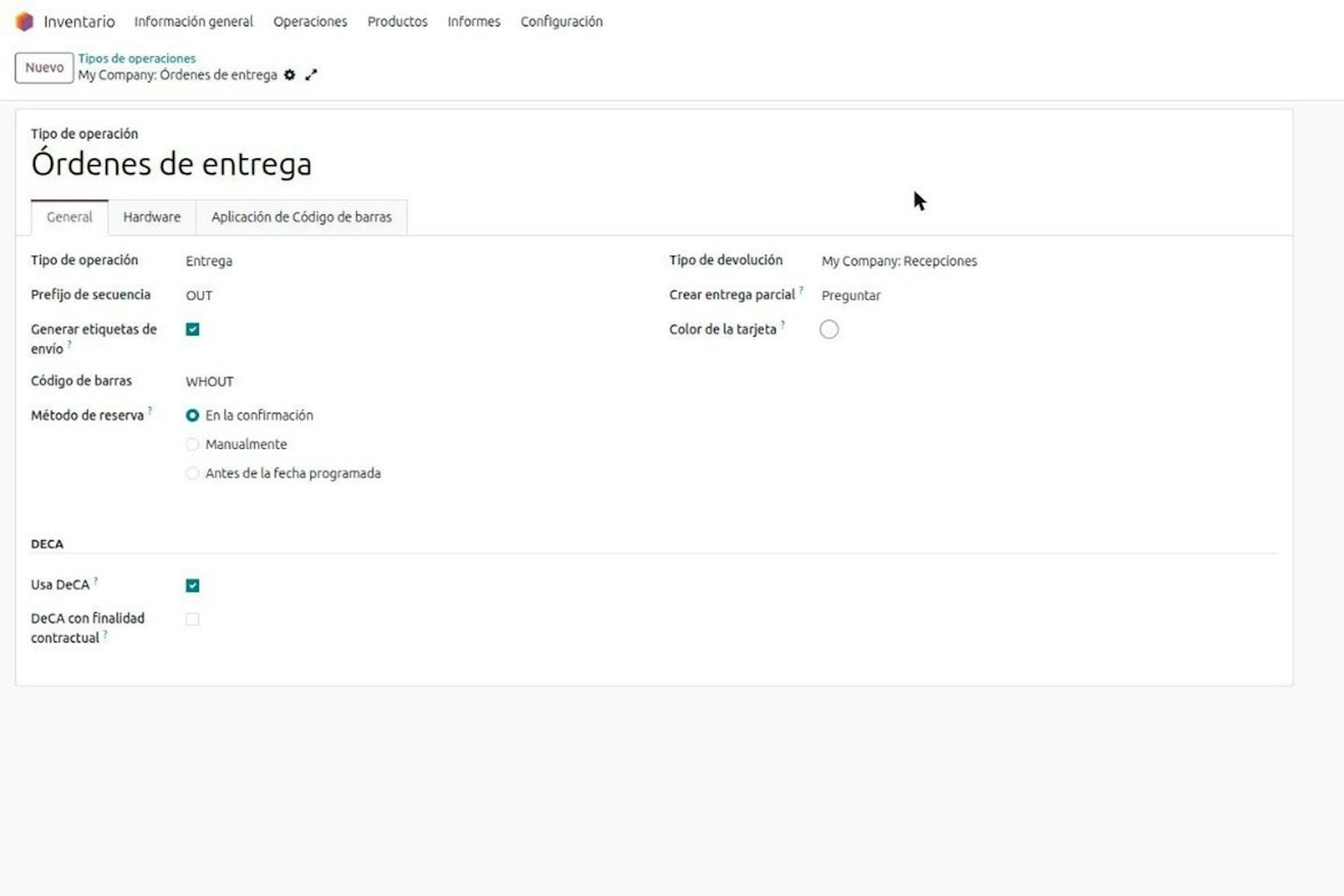
Each delivery order has a Role in the DeCA field: contractual shipper, exempt or actual carrier. With the shipper role, validating the delivery order requires the DeCA: Odoo copies what it knows and goods do not leave without a document.
Waiting for the carrier: the plate arrives with the truck.
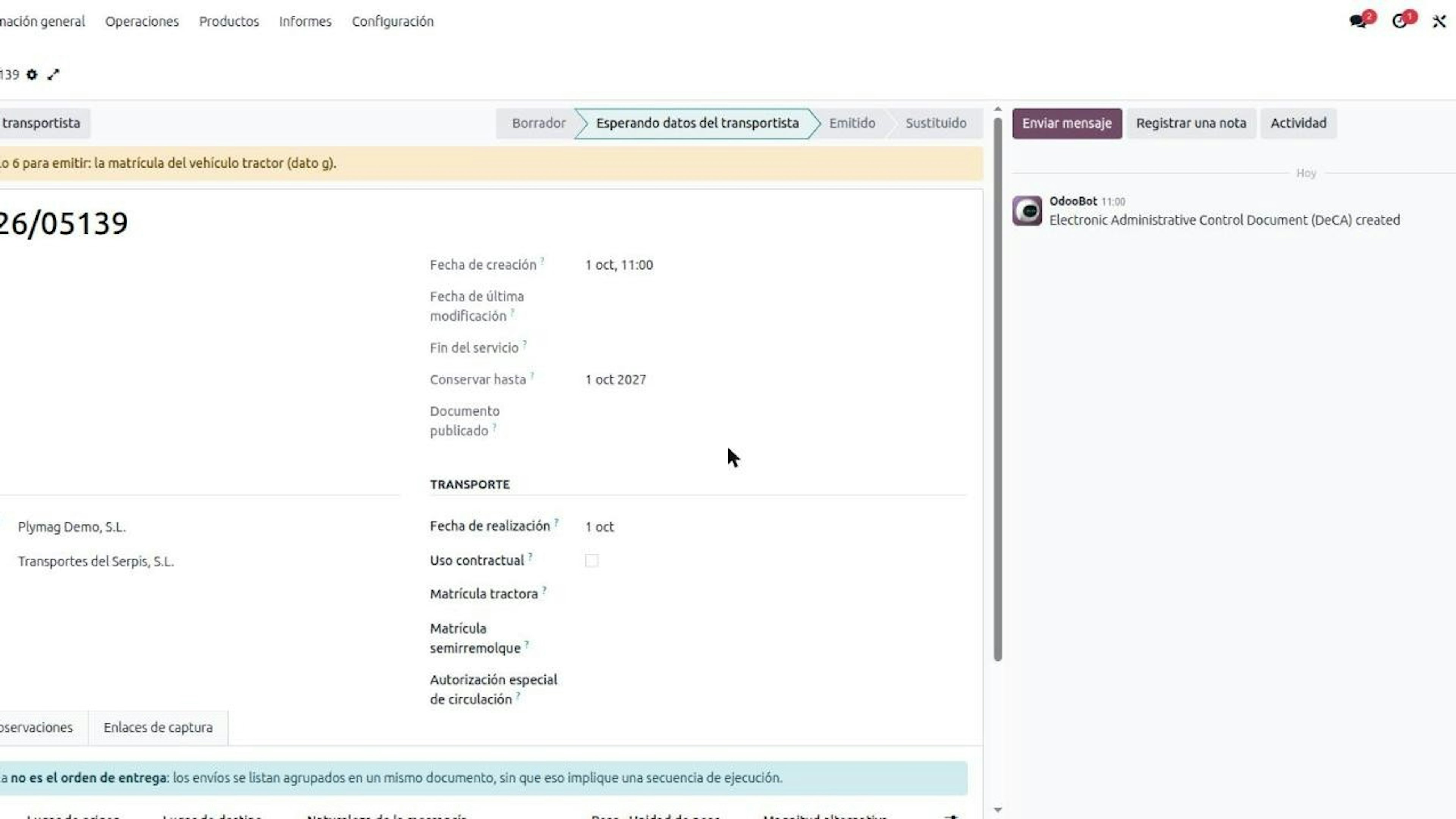
You rarely know the plate when you prepare the order, so the DeCA stays waiting for the carrier and flags the missing item. The carrier supplies it from their phone, with no user in your Odoo: they get an expiring capture link by email or SMS, enter a six-digit PIN with three attempts, fill in and sign. Each new link revokes the previous one. Then Odoo generates the PDF with a verification QR and a unique https URL. If the vehicle changes on the road, a second QR handles it: see DeCA route changes.
Several delivery orders on the same truck.
If the haulier loads several of your orders together, you group the delivery orders into one DeCA, with the same shipper and carrier.
One year of retention and a full history.
Both the contractual shipper and the actual carrier keep the DeCA for at least one year (article 9 of the order and the second section of the Resolution of 5 June 2026). Odoo shows the "keep until" date and every amendment leaves a history that cannot be deleted. In multi-company setups, one company never sees another company's documents.
What your business decides, not your distribution ERP.
Which shipments are exempt. Article 2.1 d) gives no package threshold. You decide, and by default no departure is exempt.
An empty role. A delivery order with no role leaves without a document, on purpose: a DeCA issued late is a record, not compliance.
Returns. A return is public transport and needs its own DeCA.
What to prepare in Odoo before starting with the DeCA.
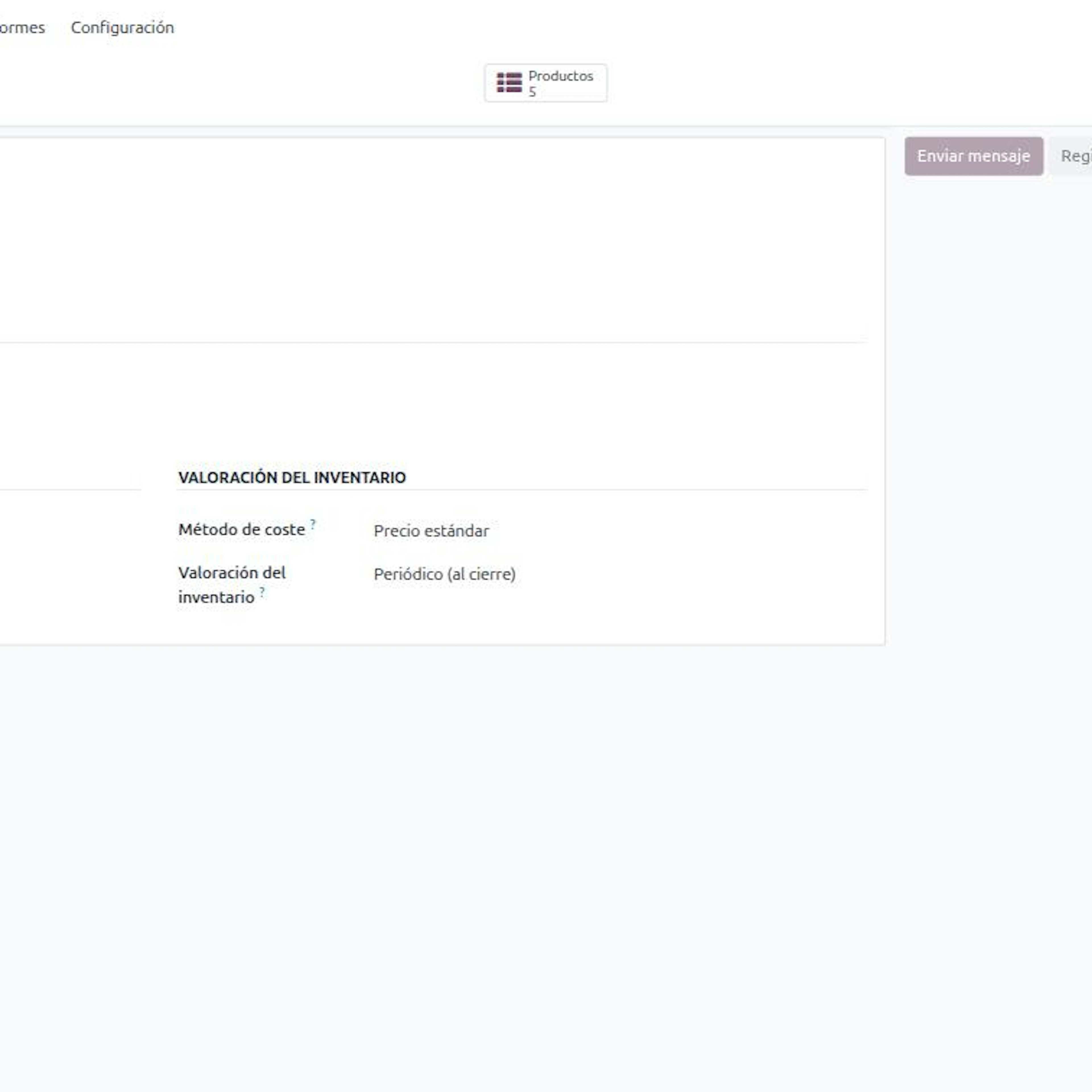
Product categories with their nature of goods.
Shipping methods with the actual carrier and their tax ID.
Complete delivery addresses and reliable weights.
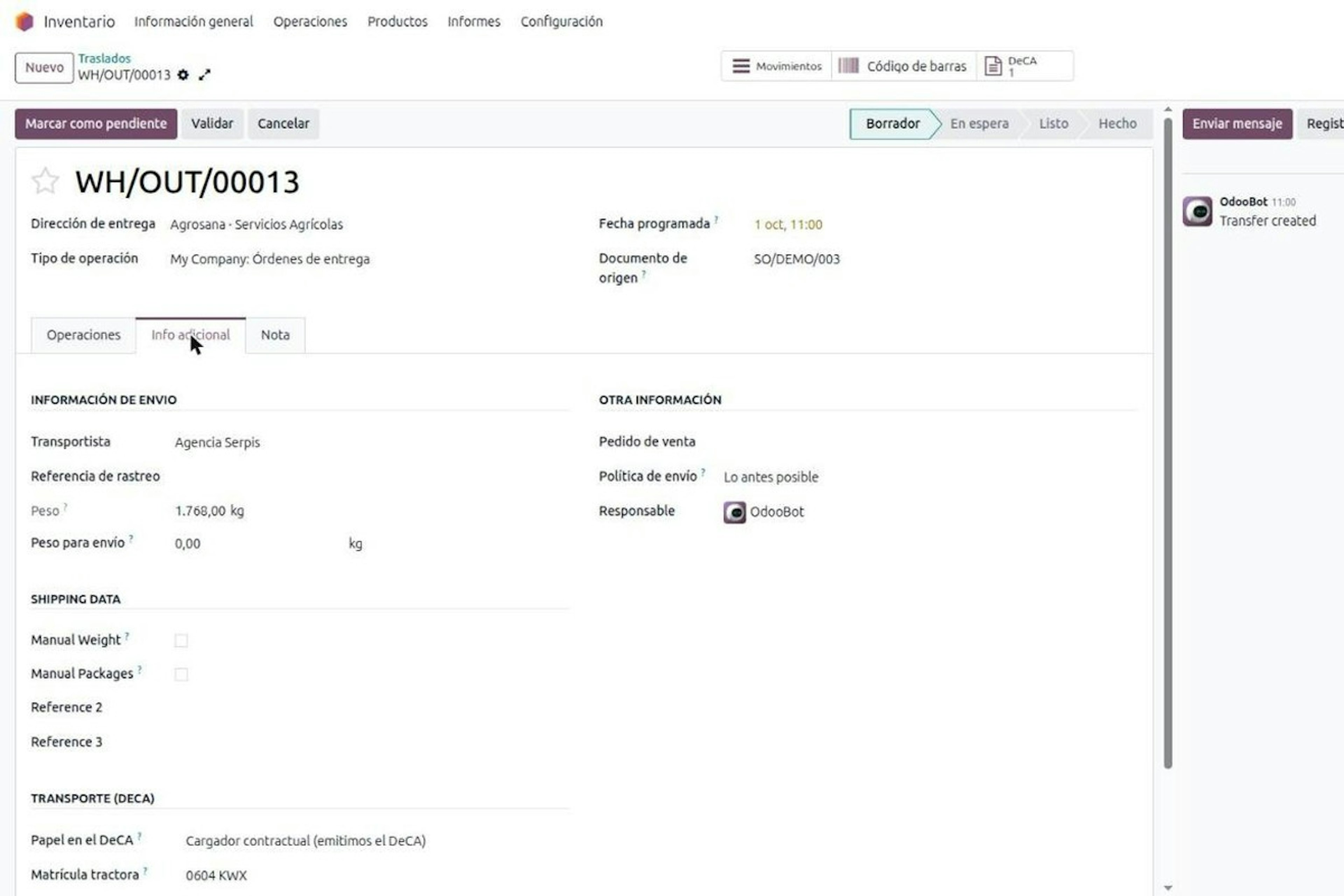
Outgoing operation types with Uses DeCA ticked. It only shows the fields: it decides nothing about any shipment.
Odoo over HTTPS with TLS 1.2 or higher, because the document URL starts with https.
Users in the DeCA / User group and managers in DeCA / Manager.
Rules: Resolution of 5 June 2026 and Ministry of Transport and Sustainable Mobility.
Frequently asked questions about the DeCA for distribution in Odoo.
We are a distributor with no fleet and a haulier moves everything for us. Do we really have to issue the DeCA?
Yes: if you pay a haulier to carry your goods inside Spain, you are the contractual shipper and the Documento electrónico de Control Administrativo (DeCA) binds you. Orden FOM/2861/2012 also binds the actual carrier and does not say who generates the document, but it splits the data: contractual shipper (a, b, c and d) and actual carrier (e, f and g). That is why you usually issue it, and article 7.1 covers you if you prove issuance. Owning trucks changes nothing: what counts is who pays the transport invoice. International transport under CMR or eCMR, pure complementary private transport and few-package shipments under article 2.1 d) are out. If your haulier says they handle everything, ask them who appears as contractual shipper on the document.
We ship pallets with many different references. Do we declare the nature of each product on the DeCA?
No: nature is the class of goods, not the commercial reference, so a pallet of twelve packaged fertiliser references is a single nature. On the Documento electrónico de Control Administrativo (DeCA), item d asks for nature and weight. In Odoo it is declared on the product category and each product inherits it, unless flagged as an exception on its record. Weight comes from the delivery order. What Odoo cannot fix is how you group your catalogue: if a category mixes fertilisers with tools, sort it first. At Dynapps we always start there, because clean categories save correcting documents one by one later.
Our haulier only tells us the plate when the truck arrives. How do we issue the DeCA on time?
Odoo prepares the DeCA from the delivery order with what you know, and the document waits for the carrier until they add the plate. In Odoo, the Documento electrónico de Control Administrativo (DeCA) copies your items a, b, c and d from the delivery order and flags what is missing. The actual carrier gets a capture link by email or SMS, enters a six-digit PIN with three attempts and completes it from their phone, with no user in your Odoo. The link expires and each new one revokes the last. The limit: the DeCA must be issued before the truck leaves. One completed afterwards leaves a record, but it is not compliance.
Which shipments can we treat as exempt from the DeCA, and who decides?
Your business decides, and by default no departure is exempt. Article 2.1 d) of Orden FOM/2861/2012 exempts from the Documento electrónico de Control Administrativo (DeCA) shipments of a small number of packages one person can easily handle, and courier, removals and broken-down vehicles are also out. The rule sets no package count or weight. In Odoo, each delivery order carries its role in the DeCA: contractual shipper, exempt or actual carrier. It is decided per delivery order and not per operation type, because exemption depends on the load. Write down your criterion and train the shipping team before your first departure with a DeCA.
When a customer returns goods through a haulier, do we need a DeCA too?
Yes: a return is public road freight and needs its own Documento electrónico de Control Administrativo (DeCA). If you contract and pay the haulier to collect from the customer, you are the contractual shipper again, with origin and destination reversed. The same applies to collecting pallets or packaging. What no rule covers, however, is what to do with an issued DeCA if the service is cancelled before departure. That is why the returns flow you set up in Odoo deserves the same care as outgoing shipments: a return operation type with the DeCA active and a shipping method with its carrier.
We already run distribution on Odoo. What should we prepare before switching on the DeCA?
Master data matters more than the installation itself. The Documento electrónico de Control Administrativo (DeCA) feeds on Odoo: company record for item a, shipping method for the carrier (b), addresses for origin and destination (c) and product category for nature (d). If that data is incomplete or out of date, so is every document it produces. Odoo must also be served over HTTPS with TLS 1.2 or higher, and outgoing operation types need Uses DeCA ticked. We see it on every project: getting carriers, addresses and categories in order before go-live is what makes the first truck leave with its document.
Get the DeCA ready in your Odoo before the next truck leaves.
If you distribute through hauliers, the DeCA binds you and it will normally come out of your Odoo. We review categories, shipping methods and returns with you, and the document leaves the Odoo delivery order from the first truck. We are an Odoo Gold Partner with 280+ Odoo experts and 150+ customer references in Spain. Book a demo of the DeCA in Odoo
More posts like this
13-minute read
DeCA in Odoo: the transport control document, issued from the delivery order.
The DeCA is mandatory from 5 October 2026. If you run Odoo, you issue it from the delivery order with no separate tool, and the carrier adds the plate from their phone.
8-minute read
Who must issue the DeCA: both parties, and in Odoo you decide it on each delivery order.
The DeCA binds both the contractual shipper and the actual carrier, even if you own no trucks. Five questions to find out which one you are and how it shows on each Odoo delivery order.
8-minute read
How the DeCA works in Odoo when the truck changes on the road: QR, secure link and PIN.
A breakdown, a different semi-trailer, a reservation about the load: this is how the DeCA is amended in Odoo during transport, with two QR codes, a link only the carrier receives and a six-digit PIN.