Complete Guide to Electronic Invoicing and the Anti-Fraud Law (2026)
Odoo
Gold Partner
280+
Odoo Experts
880+
Customers

What exactly is Verifactu?
Verifactu is neither software nor a tax: it is the colloquial name for the Regulation on Computerized Invoicing Systems (Law 11/2021). The tax authorities want a "digital eye" in your ERP system to eliminate dual-use software.
Three non-negotiable requirements starting in 2026:
Immutability: An issued invoice cannot be modified or deleted without leaving an audit trail.
Digital Fingerprint (Hash): Each invoice is linked to the previous one.
Verifiable QR code: All printed invoices include a QR code for instant verification.
Who is required to do so?
Anti-Fraud Law 11/2021 clears up any ambiguity: no one is exempt based on size. Verifactu takes effect immediately for all taxpayers.
Territoriality:
Common Territory: Verifactu applies. In Odoo, the l10n_es_edi_verifactu module (native to Enterprise) is your engine.
Basque Country and Navarre: their own TicketBAI system (already in effect).
If you operate in both, your Odoo must determine which invoice goes to which tax authority.
Who it affects:
Self-employed individuals and professionals.
SMEs (SL, SA, and legal entities).
Entities without legal personality (community property, undistributed estates).
Implementation Schedule and Deadlines.
The Tax Agency is extending deadlines due to technical complexity, but waiting until the last day comes at a higher cost. Verifactu is mandatory starting in January 2027 (Corporations) and July 2027 (Self-Employed). Activate Odoo Electronic Invoicing now to generate Facturae, avoid rejections from large clients, and take advantage of the “soft landing” period with no penalties for minor errors.

Penalty System: What Is the Cost of Noncompliance?
The change: Previously, fraud was penalized; now, having software that enables fraud is penalized. A fixed fine of €50,000 per year is imposed for uncertified systems (lack of an audit trail). If actual manipulation is proven, the penalty is €150,000+ per year. With Odoo configured correctly, it is impossible to alter data: only a corrected invoice is possible. There is no risk.

Verifactu vs. TicketBAI: How Do They Differ?
"I have TicketBAI in Álava and my headquarters in Valencia. Do I need two software programs?" Answer: No, you need better software.
Key Differences:
Data transmission: On TicketBAI, it is always immediate and mandatory. On Verifactu, it may be required upon request.
QR Code: Different visual formats. A QR TicketBAI is not valid for AEAT, and vice versa.
Penalty System: TicketBAI is regulated by the provincial tax authorities; Verifactu is regulated by the national General Tax Law.

Certified Software: Why Odoo?
We've reached a turning point. You know you have to follow the law, you know the deadlines, and you know the fines. The question is: What tool am I going to use to fight this battle?
The market is saturated with quick-fix solutions (“Verifactu patches” for outdated software). At Dynapps, we strongly advise against putting a Formula 1 engine in a 1990 chassis. The Verifactu regulation is an opportunity for re-platforming: modernize your entire management system, not just your invoices.
Why Odoo Enterprise?
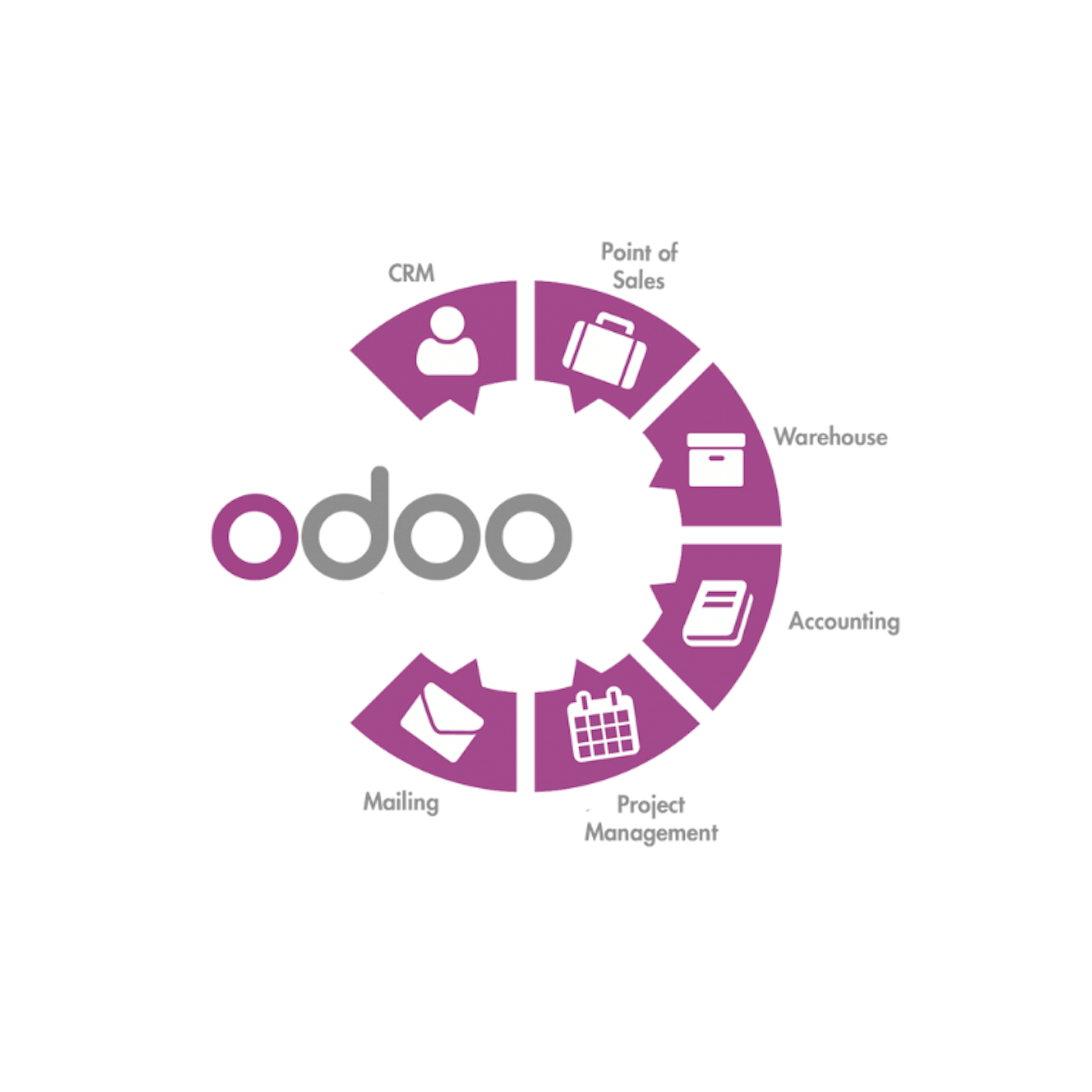
Odoo isn't just invoicing software; it's a comprehensive ERP system. But specifically for Verifactu, Odoo Enterprise stands out for:
Native: No "patches." The l10n_es_edi_verifactu module is part of the core maintained by Odoo S.A. (Belgium) and Odoo Spain.
Multi-standard: As we saw, it manages Verifactu, TicketBAI, and SII simultaneously.
Automatic Update: When the tax authorities change an XML schema (and they will), your system will update automatically without you having to call a programmer in a hurry.
How to Set Up Verifactu in Odoo (Technical Guide).
This is where users of Odoo Enterprise You can rest easy. While other companies are installing patches of dubious origin, you’ll ensure legal compliance with just three clicks. Literally.
The Spanish Odoo localization team has done a brilliant job of integrating the complexities of Law 11/2021 into a clean user interface. Below, I’ll explain the process we follow at Dynapps during our implementations.
Prerequisites
Before you do anything, make sure you have:
Odoo Enterprise (v17+ recommended): Previous versions require migration.
Module installed: l10n_es_edi_verifactu (usually installed automatically with the Spanish localization).
Digital Certificate: The company's .p12 file.
Installing the VeriFactu Module.
Go to the Applications menu, locate the "Spain - Veri*Factu" module (l10n_es_edi_verifactu), and install it to enable reporting features for the AEAT.
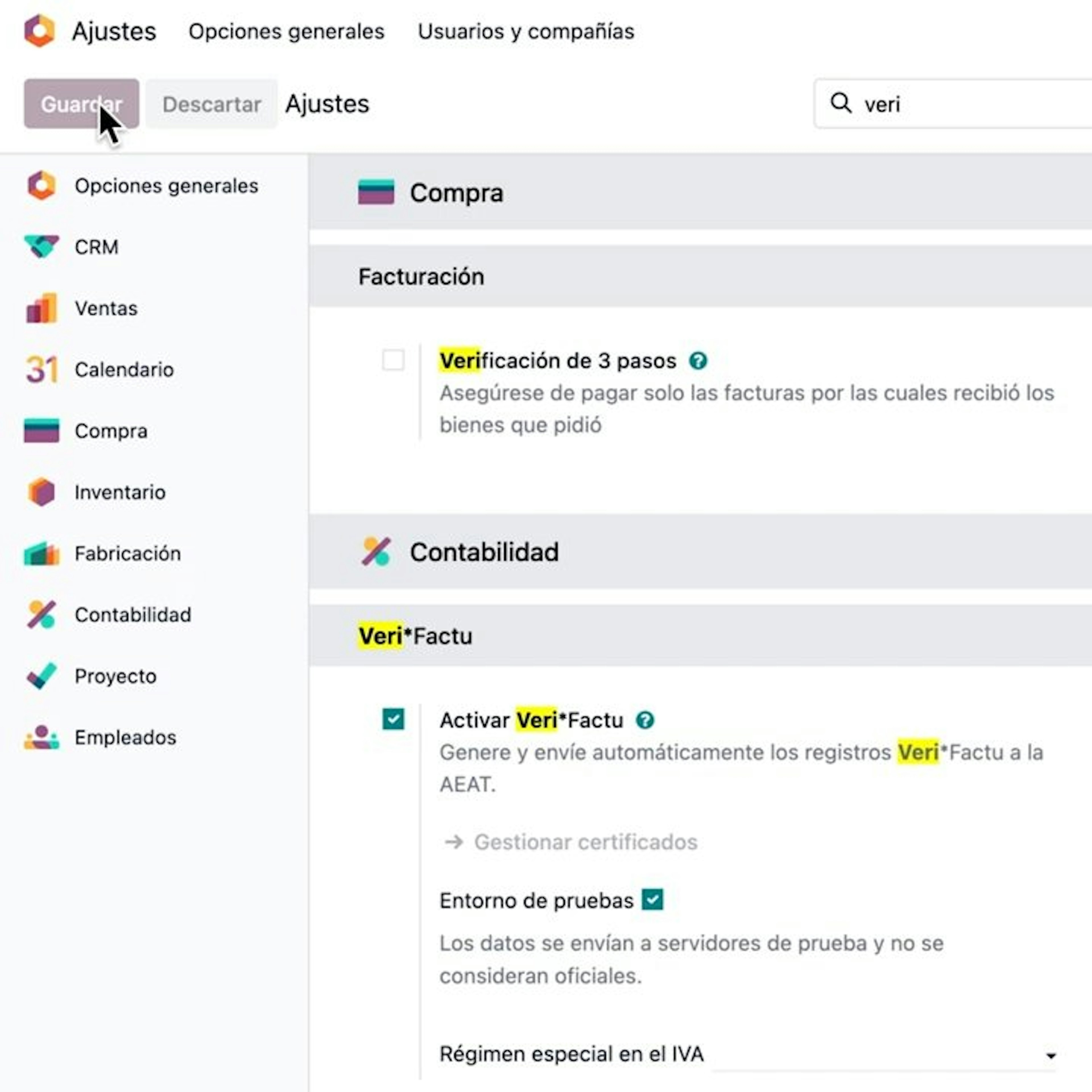
Activation and Configuration in Settings.
Go to Settings, find the Billing/Accounting section, and check the "Enable VeriFactu" box. Save the changes to enable the automatic submission of records to the AEAT.
Digital Certificate Management.
In the VeriFactu settings, go to "Manage Certificates" to upload the PFX/P12 file, enter the password, and define the certificate scope (Facturae/Veri*Factu) required for the electronic signature.
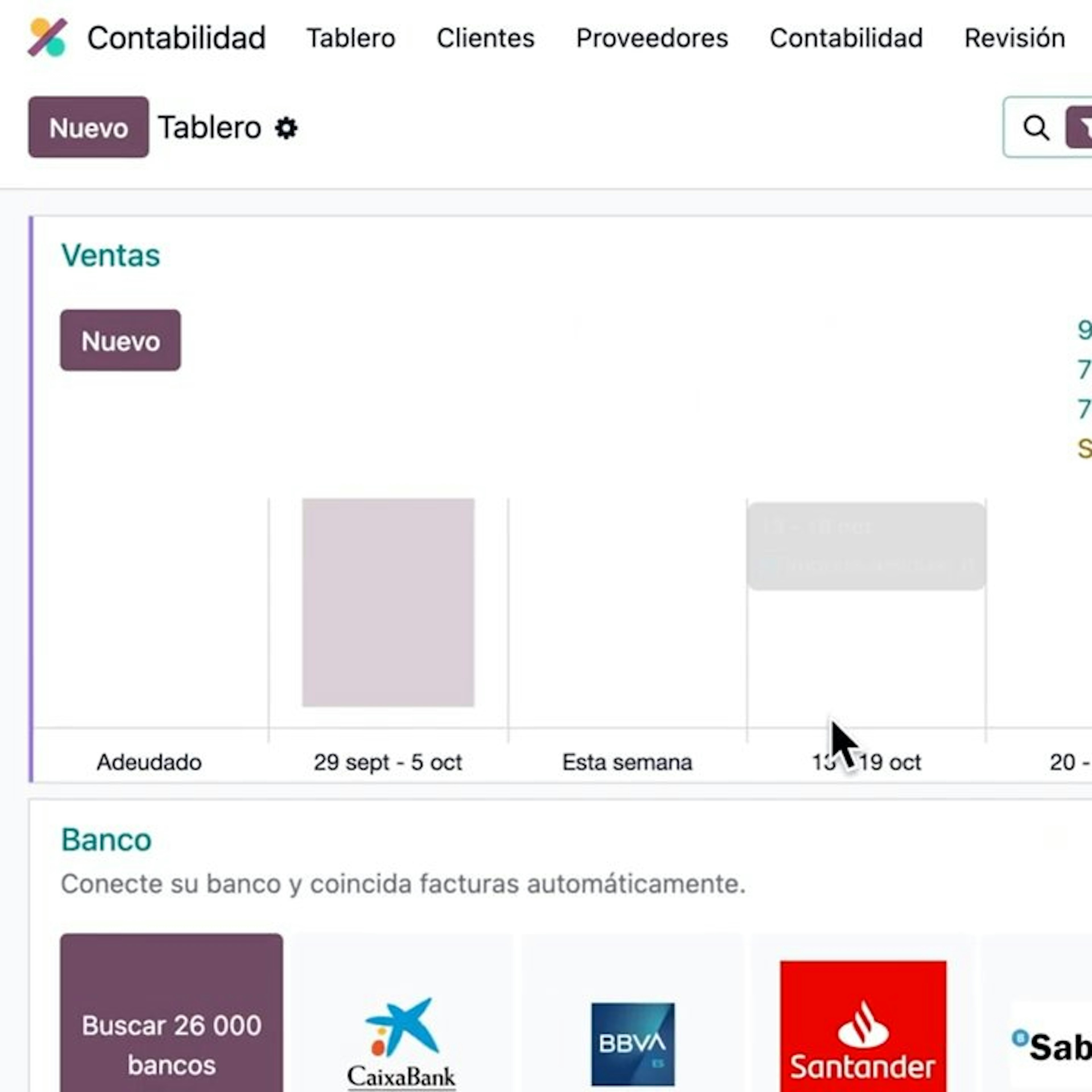
Invoice Creation and Validation.
From the Accounting module, create a new customer invoice. When you click "Confirm," Odoo will generate the chain hash and prepare the record for submission.
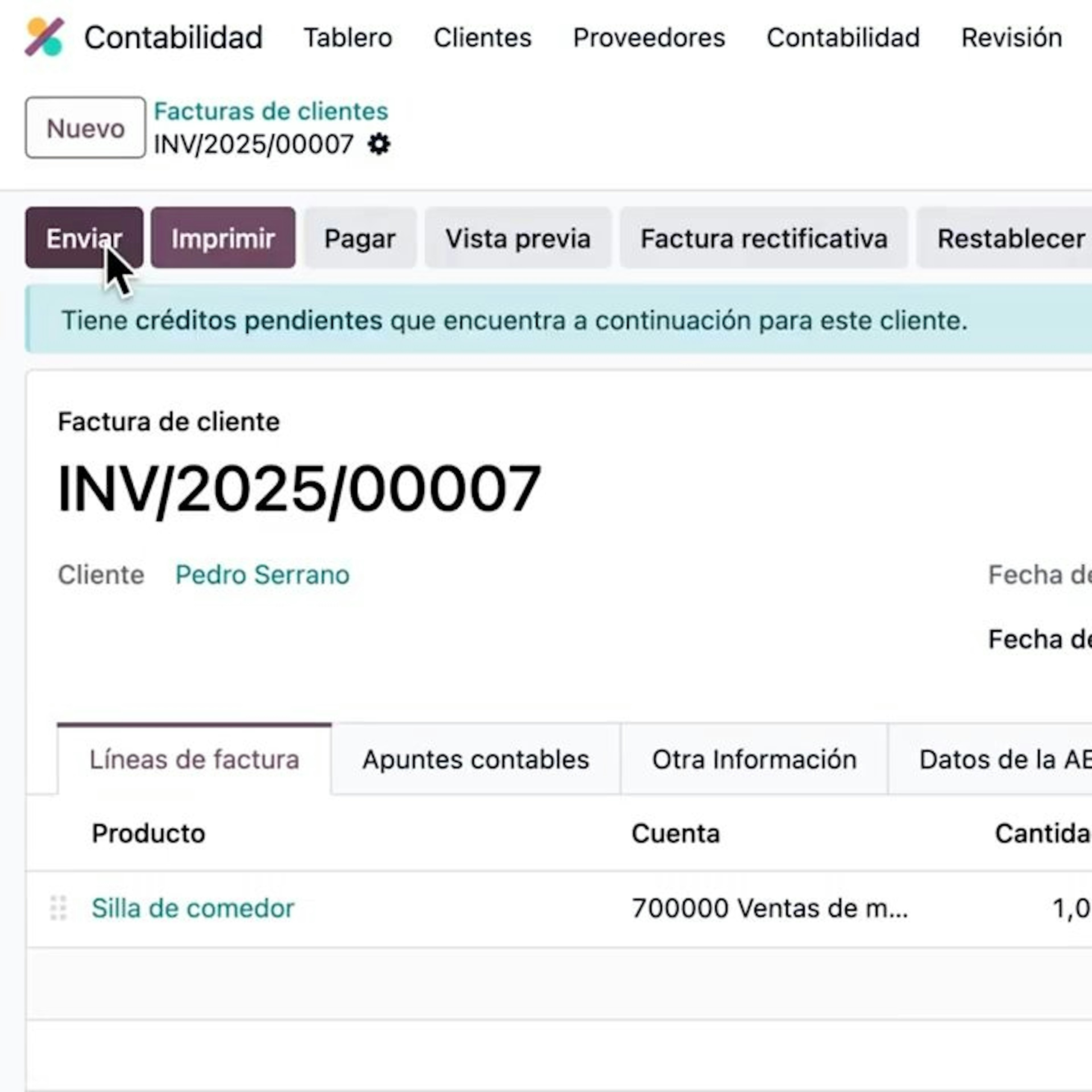
Submission to the AEAT and QR Code Generation.
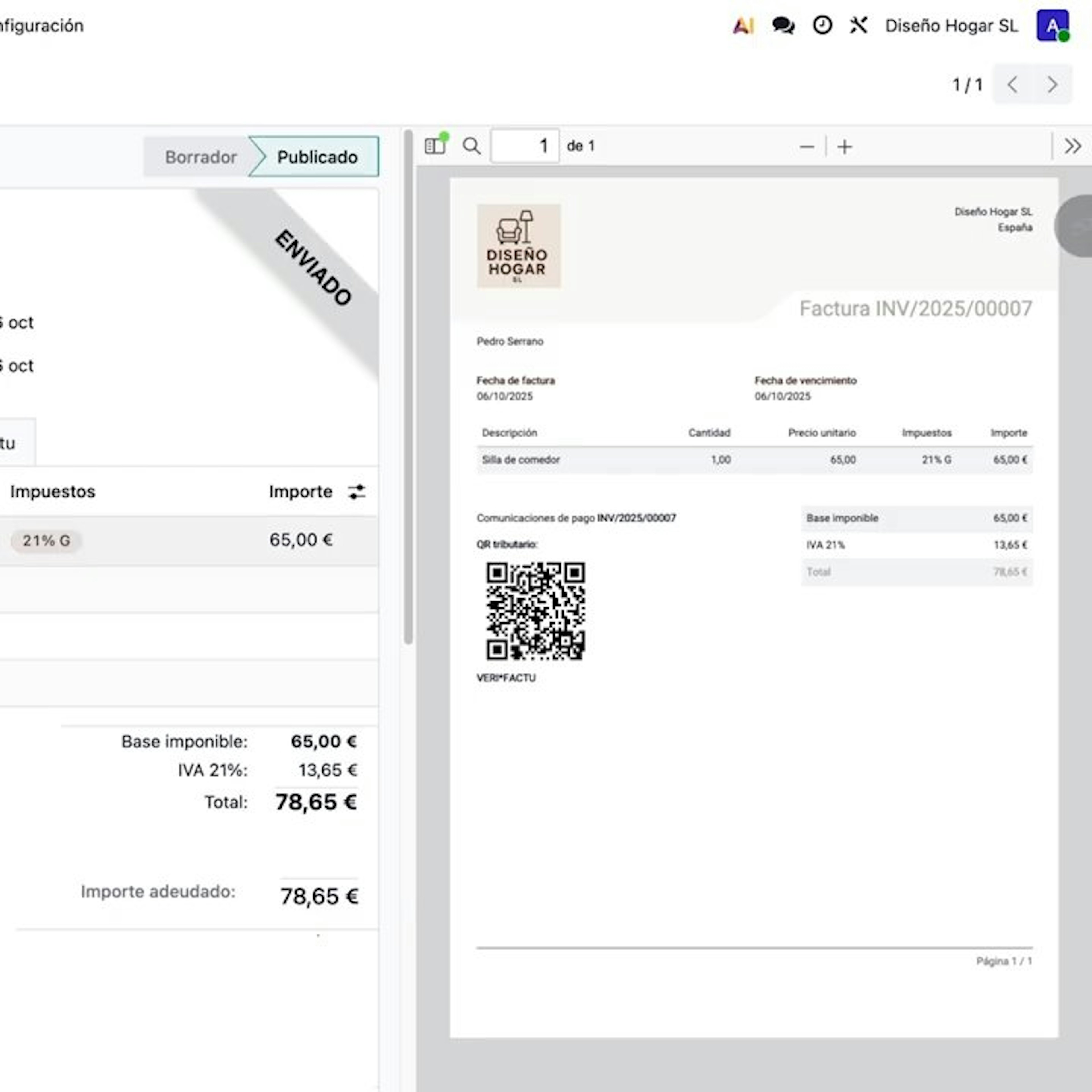
When processing the invoice submission, make sure the VeriFactu option is checked. The system will automatically generate the required QR code in the PDF, indicating that it is a verifiable invoice on the electronic portal.
Shipment Status Tracking.
Go to the "VeriFactu" tab in the invoice form to check the communication history, the type of document sent, and the Tax Agency's acceptance status.
Verifactu in E-Commerce.
If you run an online store, you live in the world of automation. A customer makes a purchase at 3 a.m. and wants their invoice right away. This is where Verifactu presents a serious technical challenge: immediacy cannot come at the expense of legal compliance.
The Problem with Standard CMSs
Platforms like Shopify, WooCommerce, Magento, and PrestaShop are excellent sales tools, but terrible for managing Spanish tax matters.
The PDF plugin: You probably use a plugin that generates a PDF when an order is placed. That PDF is usually "dumb": it has no digital signature, isn't cryptographically linked to the previous one, and isn't reported to the AEAT.
Risk: If the tax authorities audit your store and discover that you can delete an order in WooCommerce and regenerate invoice number 100 without leaving a trace, you could face a fine of 50,000€.
Verification Checklist: Is My Company Ready?
The amount of information is overwhelming, but at Dynapps we apply the “Law of Clarity”: we turn 300 pages of the Official State Gazette (BOE) into a binary checklist. Being “Verifactu Compliant” isn’t just about having the software—it’s about operating correctly. Do your employees know how to block invoices? Does your IT department protect the database? Do you have a valid FNMT certificate? If anything is missing, you have work to do before July 2026.
Get ready for 2026 without disrupting your sales.
Let's talk about how your company can take advantage of the Digital Kit to integrate Odoo and comply with Verifactu effortlessly.