AI in Odoo for SMEs: what already works, with real cases.
If your company already works with Odoo, AI can prepare orders, answer emails and analyse your sales on your real data. We show you in a demo with your own case.
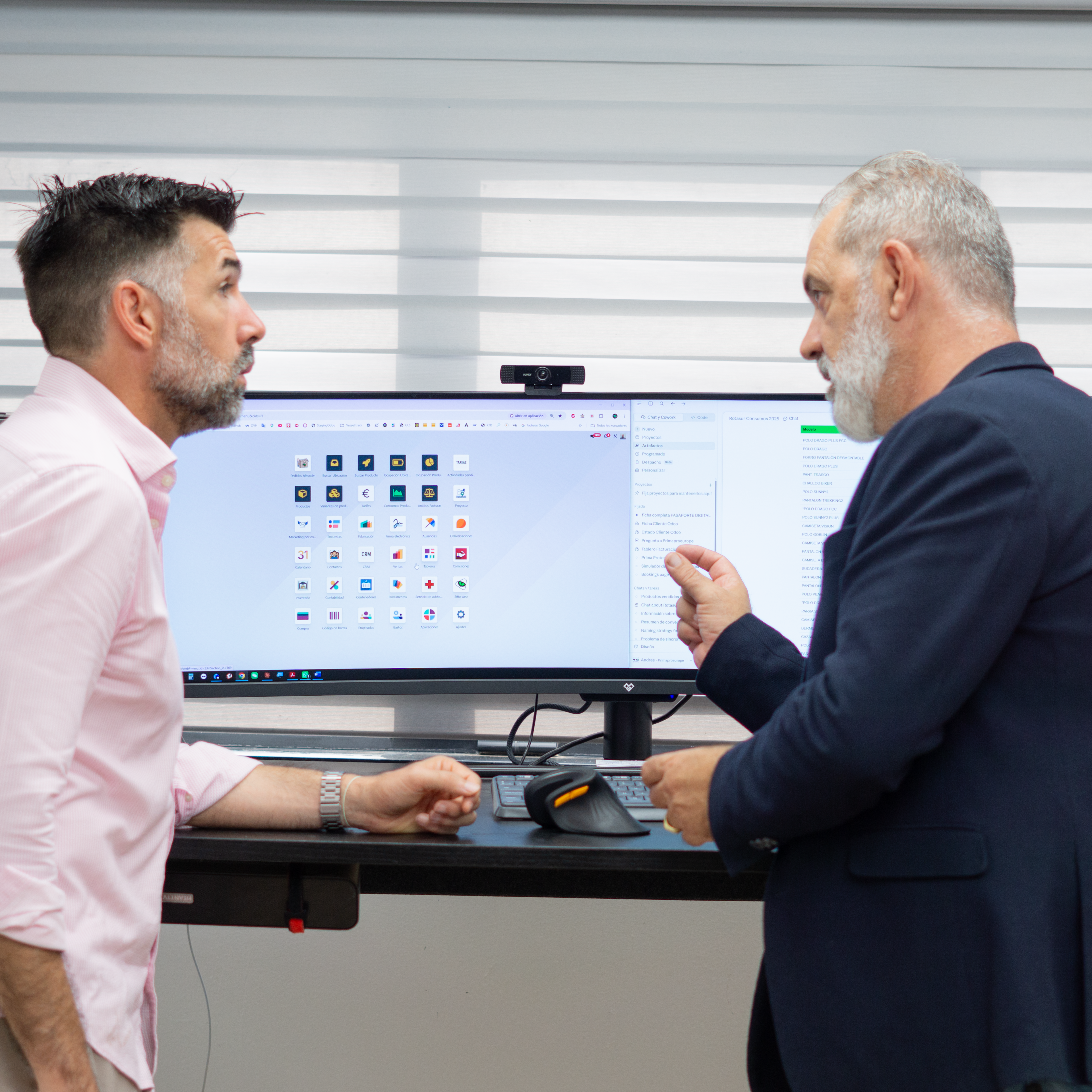
Yes, you can already use AI in your Odoo, and you do not need to wait for the next version. If your company works with Odoo 17, 18 or 19, you can connect Claude to your database so it prepares orders, answers emails or analyses your sales on your real data. And if you are moving to Odoo 20, the platform itself brings AI agents that search, create and change records with your permissions.
In this guide you see, in one place, what AI can do in an SME with Odoo, a real case with figures, the two ways to connect it and how to start. If you would rather see it working on your own case, book an AI demo in Odoo.
What AI can do in your Odoo today.
AI really adds value when it works on your Odoo data, not on what someone copies into a chat. These are processes that already work at companies like yours:
Purchasing: analyse sales and history every week and leave the supplier orders recorded in Odoo, ready for the person in charge to approve.
Customer service: record the orders that arrive by email automatically, and leave status, shipping and support queries with a draft reply for a person to validate.
Sales: qualify leads, review the pipeline with alerts on stalled opportunities, or turn an opportunity into an order with its sales proposal.
Finance: quarter-end checks on journal entries, VAT and bank, or Excel forecasts with scenarios based on your data.
Bulk operations: reassign opportunities, update records in bulk or create projects from a PDF by asking in plain language.
In every case, AI prepares and your team decides: nothing is written in Odoo until a person validates it.
A real case: Prima Protección.
Prima Protección is an SME from Valencia that imports, manufactures and distributes high-visibility safety clothing, and works with Odoo. With Claude connected to its Odoo, it achieved this:
Automated purchasing from Asia. An agent analyses the data every week and leaves the orders recorded; the purchasing manager only clicks the button to approve them.
Customer emails with a draft reply, which the person handling the mailbox sends or corrects. The AI learns from every correction.
Almost 20% of the time of every department is already spent on work done with AI, with the same team as before.
Six sessions until the team was able to build its own automations independently.
We now have two workforces. The same physical team we had before, and a new virtual one that helps the whole team go further.
— Andrés Castañeda, CEO of Prima Protección
You can read the full story in the Prima AI success story, and in this video they tell it themselves. Watch the video on YouTube.
Two ways to bring AI to your Odoo.
There are two routes today, and they are not mutually exclusive:
Claude connected to your Odoo with our MCP connector. It works on Odoo 17, 18 and 19. Claude reads and works with your real data with the permissions you define, and your team works with skills, packaged tasks so Claude does them the same way every time. It is what Prima uses, and what we use every day in our own Odoo. We explain it in how to connect Claude to Odoo.
The AI agents in Odoo 20. The new version brings a general agent and app-specific agents that search, create and change records, ask when something is ambiguous and ask for approval before writing. Odoo 20 also works as an MCP server, so you can connect Claude to it too. You find it in what's new in AI in Odoo 20.
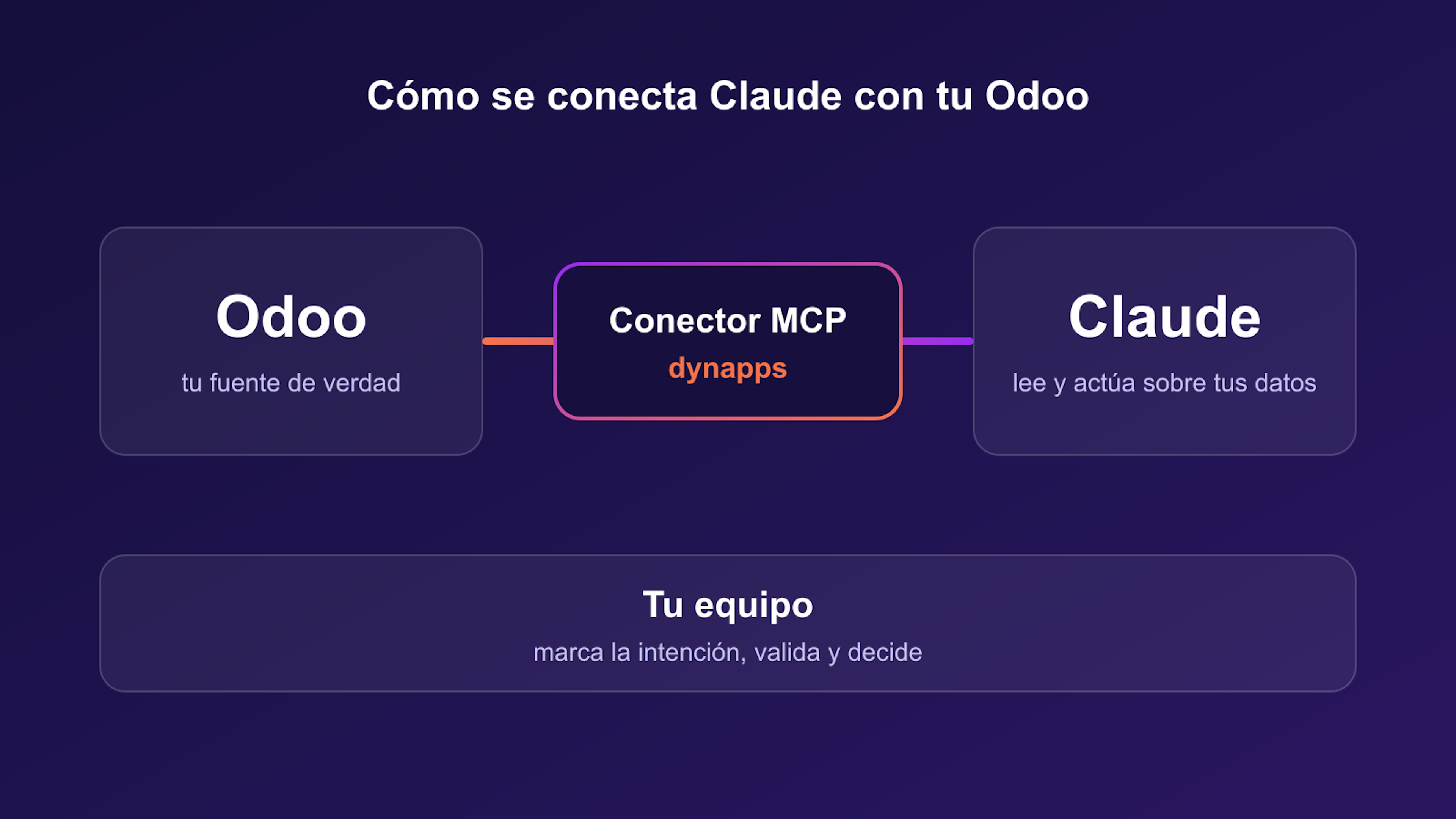
What suits you: if you are on Odoo 17, 18 or 19, start with Claude now and do not wait to migrate. The skills and the way of working you set up now keep their value when you move to version 20.
Security and control of your data.
It is the first question any management team asks, and it has a concrete answer:
AI works with permissions, not with free access. With our connector, the ones you define; with the Odoo 20 agents, those of the user making the request.
Nothing is written without approval. AI proposes and a person approves, corrects or discards.
Traceability. In Odoo 20, changes made by an agent are logged in Odoo's standard tracking, like any manual edit.
You choose the provider. With MCP you can connect Claude or another model, even one hosted in your country if your data must not leave it.
How to start with AI in your company.
This is how we do it with SMEs that already work with Odoo:
A demo on your case. We show you AI working on Odoo with processes like yours and choose together where to start.
Connection to your Odoo. We install the MCP connector and connect it to Claude with the permissions you define.
First automations. We build the skills with the most impact on your real data, plus a skill with your brand identity.
Your team, self-sufficient. Training and support so your team keeps automating on its own, as Prima did.
You find the details of the service in AI and automation for Odoo.
Book an AI demo in Odoo.
The best way to know what AI can do in your company is to see it on a process like yours. In the demo we show you Claude preparing orders, answering emails or analysing sales in Odoo, and you leave with a clear idea of what you would automate first. Book your AI demo in Odoo.
What SMEs ask us about AI in Odoo.
Yes. On Odoo 17, 18 and 19 you can connect Claude to your database with our MCP connector and work on your real data now. When you migrate to Odoo 20, the automations and the way of working keep their value.
The repetitive ones with clear rules: recurring purchase orders, customer questions about order status and shipping, lead qualification or closing checks in accounting. In the demo we choose the ones with the most impact together with you.
No. AI works with permissions, proposes the changes and a person validates them before they are written.
At Prima, the team was self-sufficient after six working sessions. Claude is connected to your Odoo once, and from there automations are added step by step.
No. It helps to have one person leading the project and clear processes, but automations are requested and used in plain language. We take care of the connection and the first skills.
Book an AI demo in your Odoo.
In one session we show you Claude working on Odoo with processes like yours: purchase orders, customer emails, quotations or sales reports. You leave knowing what you would automate first and what you need to start. We are an Odoo Gold Partner, with 280+ Odoo experts.
More posts like this
7 min read
Connecting Claude to Odoo: the MCP connector we use every day.
What MCP is, how we connect Claude to your Odoo with our own connector, what your team can do with it from day one, and how it fits with the MCP in Odoo 20.
12 min read
What's new in AI in Odoo 20: agents that act and ask permission.
A summary of the AI talk at Odoo Experience 2026: the Odoo AI agent, app-specific agents, self-update, IAP credits and Odoo as an MCP server, plus what we found in the version 20 code.